5Using a Hobby Knife
Create net-based polygons and paper crafts using a manual subtractive manufacturing technique.
Subtractive manufacturing is the process of creating an object by starting with a larger piece of material and removing sections until only the desired shape remains. In this tutorial, you will use a manual subtractive method which you’re probably already a bit familiar with: cutting paper. You will print a two-dimensional “net” (a flattened 3D shape) and fold it into a three-dimensional polygon.
You will use a digital generator to create your template, cut the paper net out, trace it onto cardboard, and safely use both metal and ceramic hobby knives to manufacture your final piece.
You will need
- A computer with internet access and a printer
- Standard 8.5” x 11” US letter paper
- A piece of flat or corrugated cardboard, at least 8.5” x 11”
- A cutting board
- A metal hobby knife or ceramic hobby knife
- A steel rule
- Painter’s tape
- A pencil
- A glue stick
Knife safety
- Cut on a board, never on the bare table, floating or in your lap.
- Cut away from your body. Move your other hand behind the blade, not in front of it.
- A dull blade slips and is more dangerous than a sharp one. Ask for a new one before you push harder.
- Retract/sheath or put the cover on the the blade the moment you have stopped cutting.
5.1Install A Printer#
This tutorial requires you to print from the classroom printers. Before you continue, make sure you have installed a printer. Follow these instructions if you have not. Printing from School Computers
5.2Generate the Template#
A “net” is a 2D geometric pattern that can be folded to form a 3D figure. To ensure our net is mathematically accurate, we will use a digital generator.
-
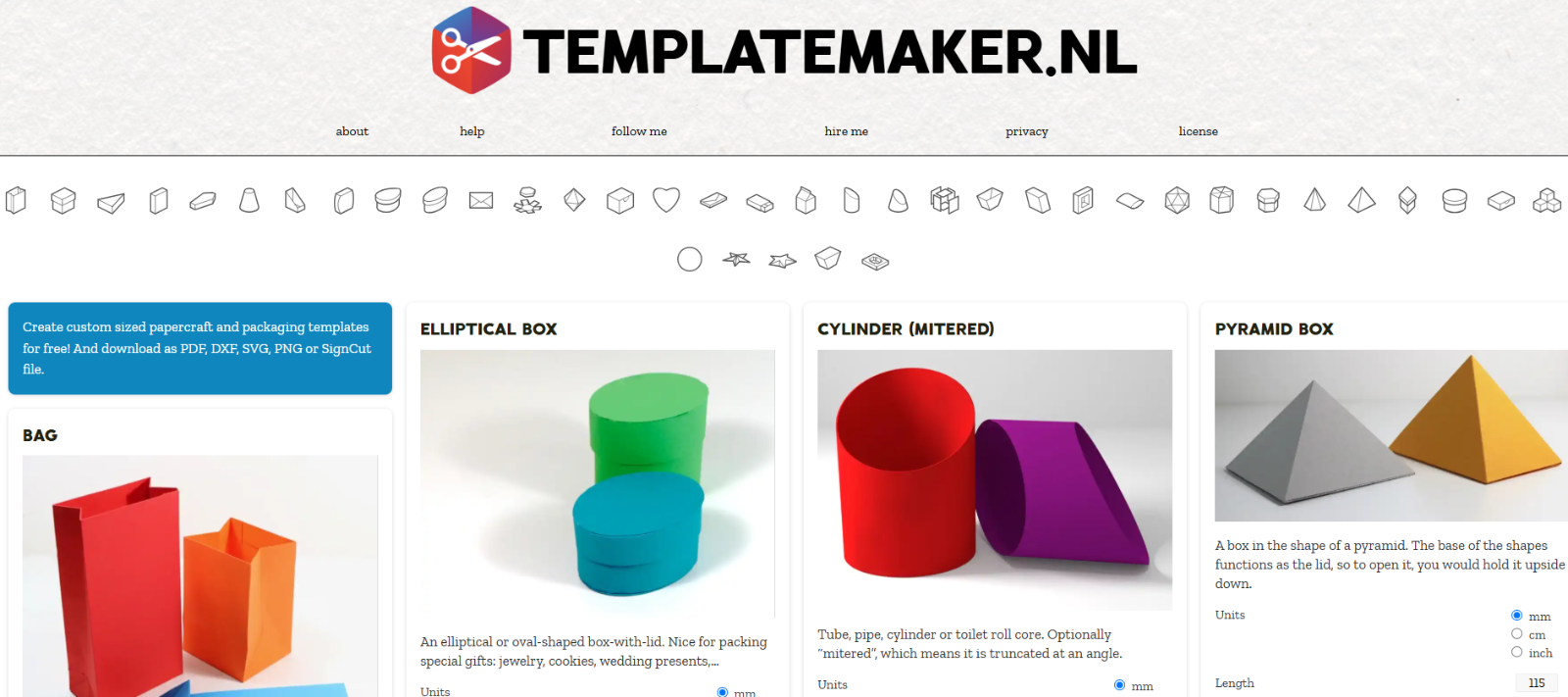
Open your web browser and navigate to https://www.templatemaker.nl/en/.
-
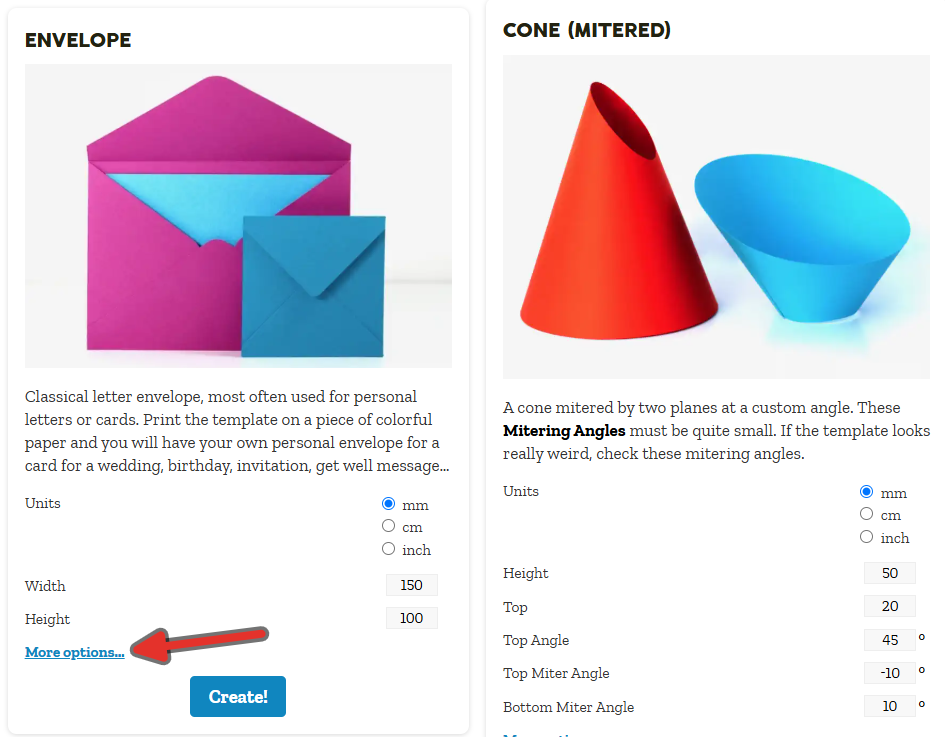
Scroll through the available templates and click on a design of your choice.
-
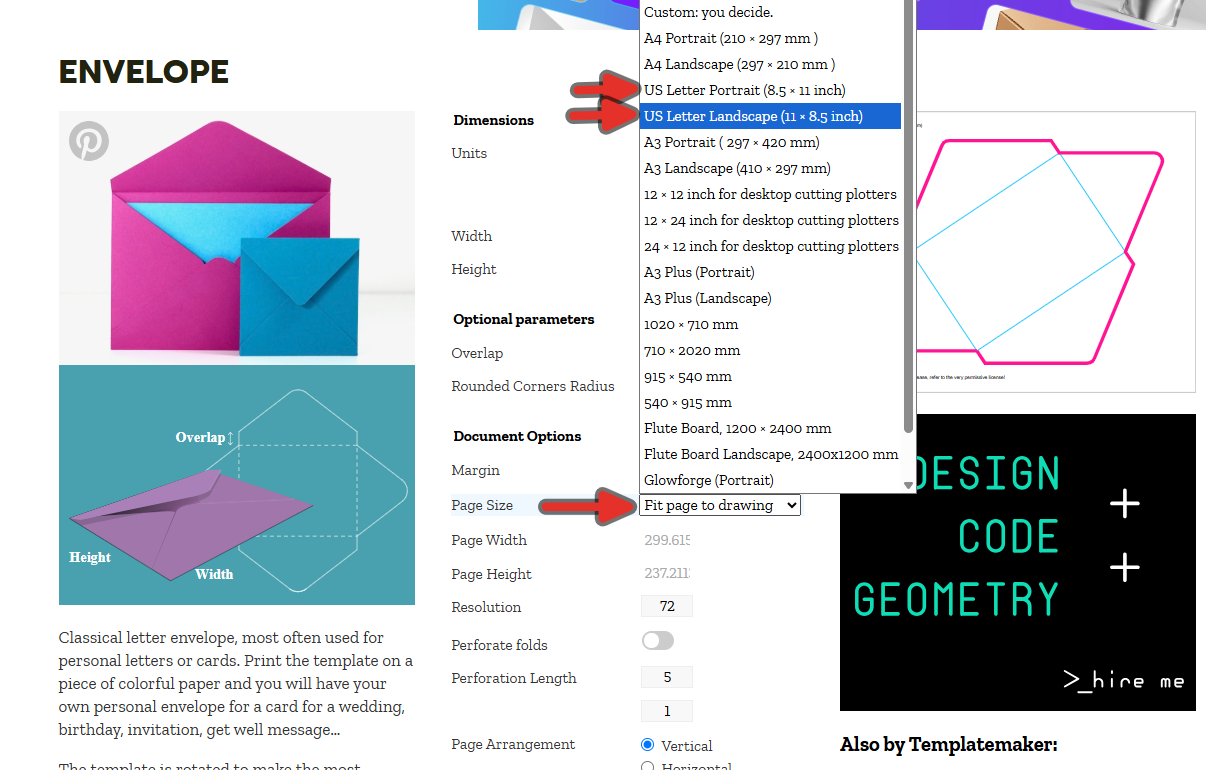
Look for the Paper Size or Document Size dropdown in the settings panel. Change this setting to US Letter (8.5 x 11 inches). You can select either Portrait or Landscape, depending on the orientation of the design you selected. Pick the option that best covers your design. i.e if the design is wider than it is tall, use Landscape.
-
Modify the dimensional parameters (Length, Width, Height, and Polygon Radius, depending on your chosen shape) to ensure your design fits on the paper we’re using. Watch the live preview to ensure the entire net fits within the boundaries of the page. If the net runs off the edge of the digital canvas, reduce your dimensions.
-
Click the Create! button at the bottom of the parameter list. A file should download.
-
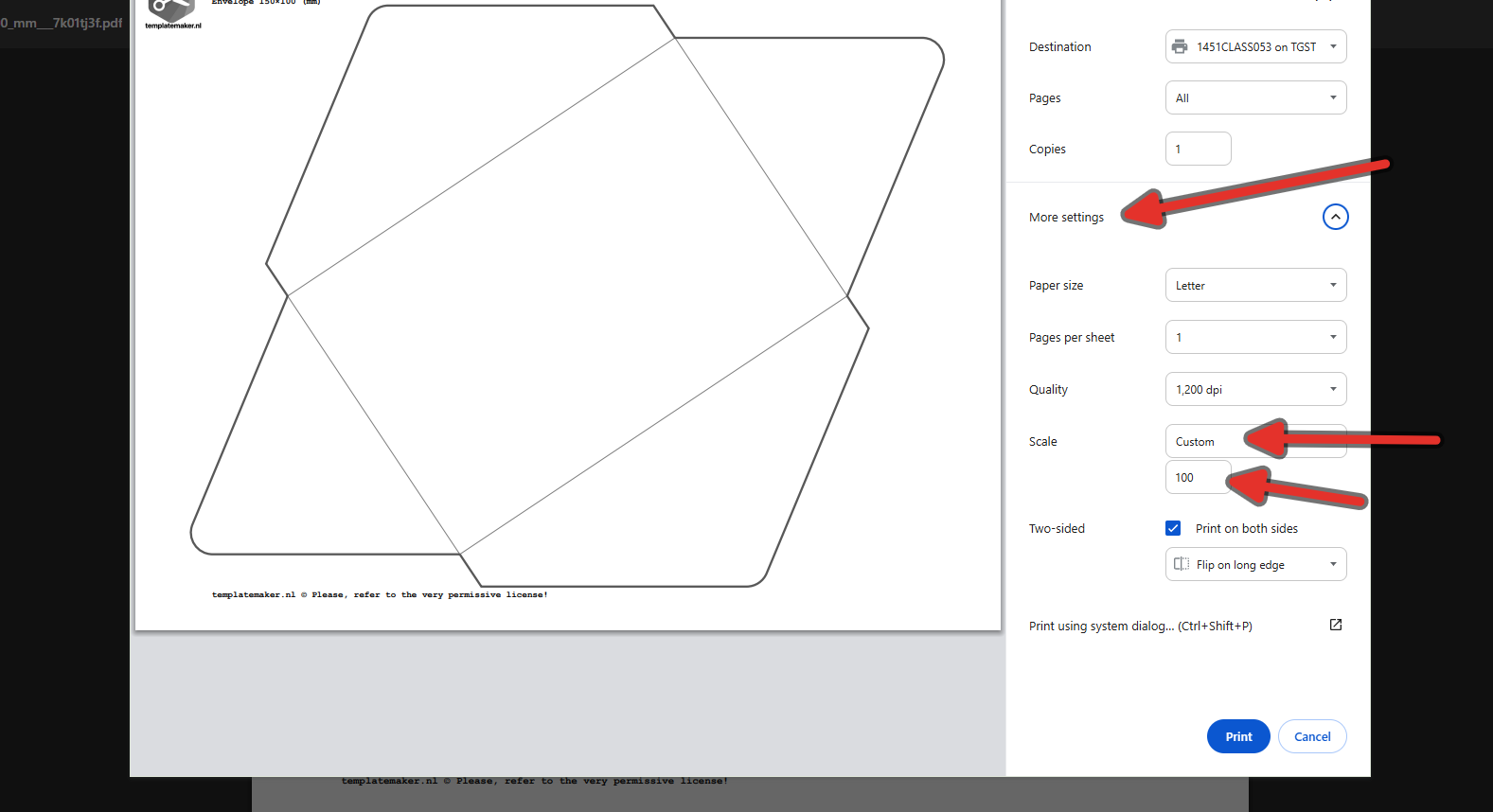
Open the downloaded PDF in Google Chrome and click on the print icon or Ctrl + P. Make sure you have the correct destination. If you forget how to do this, consult this document.
-
Click on “More settings” and change the scale to Custom, ensure the scale is set to 100 (do not select “Fit to Page”, as this will alter your specific dimensions).
-
Then click print. Your page should come out of the classroom printer. If you do not see it, it is possible you sent it to the wrong printer.
5.3Cut the Paper Net#
You will use the ceramic hobby knife for this step. Ceramic blades are extremely sharp, stay sharper longer than metal blades, and are excellent for slicing through thin materials like standard printer paper smoothly.
-
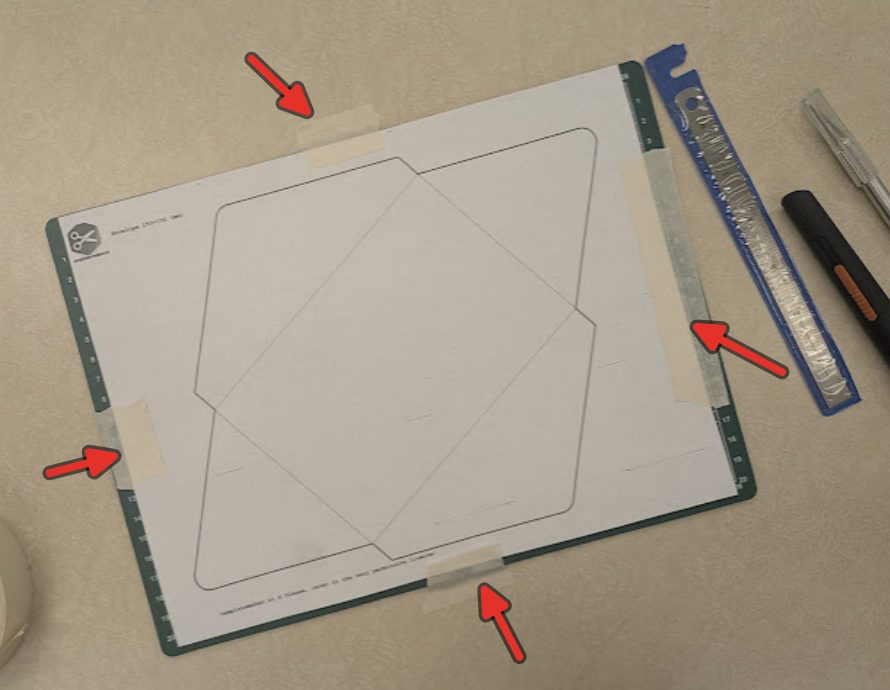
Place your printed template flat against your cutting board.
-
Tear off four small pieces of painter’s tape. Tape the four corners of your paper directly to the cutting board so it does not shift while you cut.
-
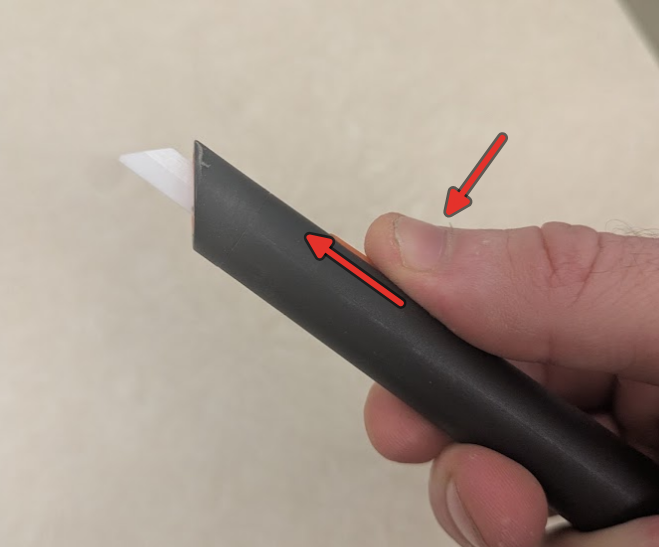
Press down on the guard your ceramic hobby knife to expose the blade.
-
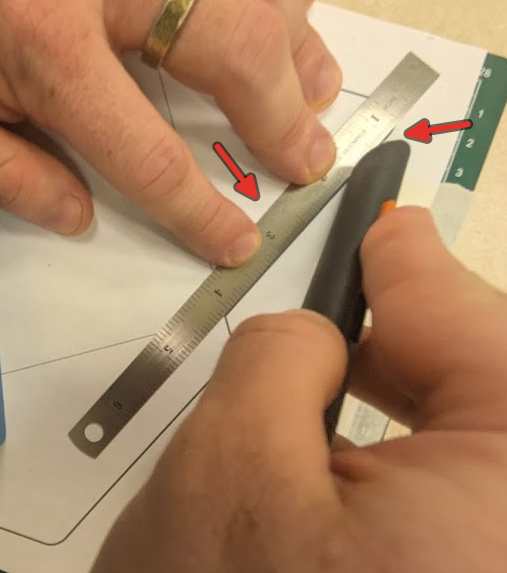
Line the steel rule up on the waste side of your line. If the blade wanders, it will cut into the scrap paper rather than your actual project. Keep the rule pressed down firmly for the whole stroke.
-
Cut along the solid exterior lines of your template. Do not cut the dashed or dotted lines, as those are fold lines. Cut in two or three passes. The first pass scores, the later passes go through. One heavy pass tears the material and wanders.
-
You may need to reposition your painters tape if you slice off an edge that is being taped down.
-
Once the entire perimeter is cut, remove the painter’s tape and discard the paper waste in the recycling bin. Make sure the knife is properly stowed.
5.4Transfer to Cardboard#
You now have a perfect paper net. To make the final model durable, we need to transfer this geometry to our cardboard stock.
-
Place your cardboard flat on the table (you do not need the cutting board for tracing).
-
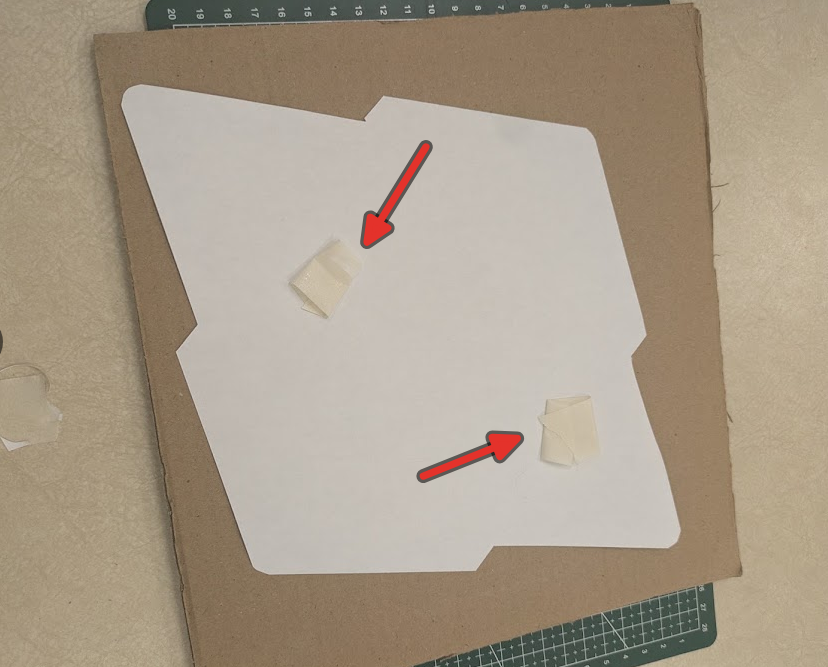
Place your paper net onto the cardboard. Use small loops of painter’s tape on the underside of the paper to temporarily stick it to the cardboard so it does not move.
-
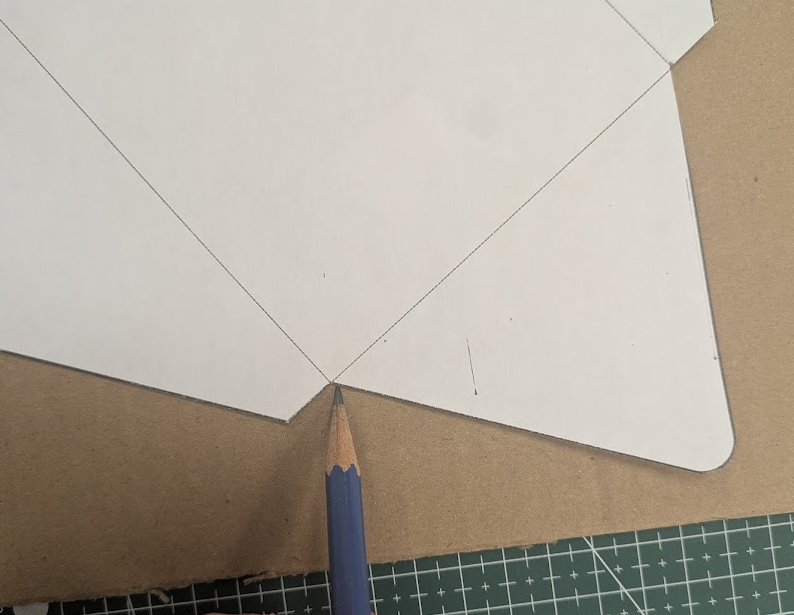
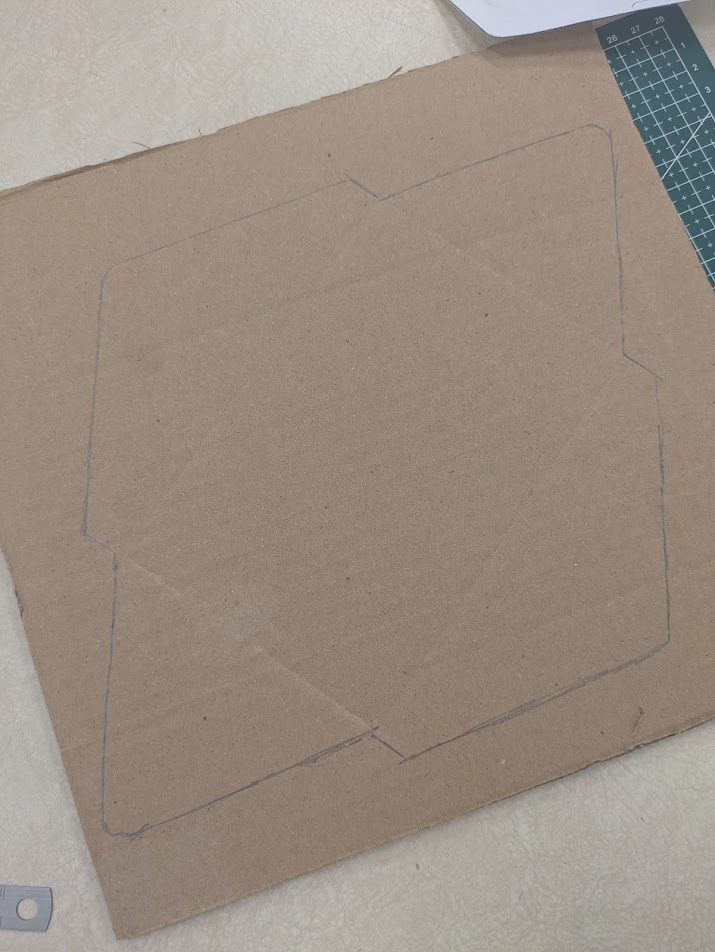
Using your pencil, trace the entire exterior perimeter of the paper net onto the cardboard. Ensure your pencil is sharp so the line is tight against the paper edge. A light mark will do fine, it just needs to be visible.
-
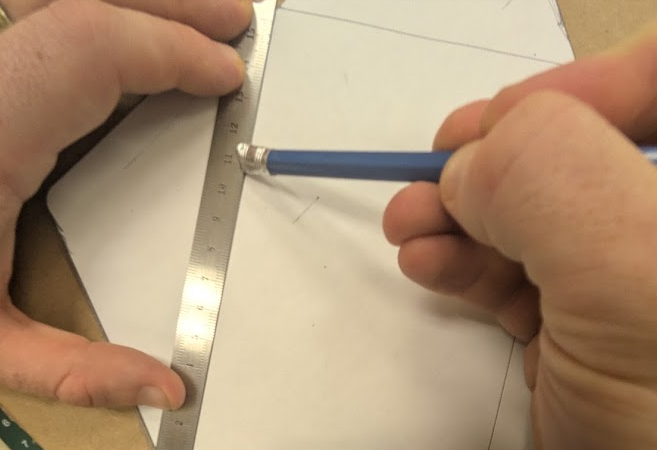
Using a marking tool (back side of a pencil, paintbrush, another ruler etc.) and steel rule, use the paper template as a reference to draw in the internal fold lines (the dashed lines from the template) directly onto your cardboard. Press the marking tool into the paper firm enough that the mark is transferred on to the cardboard.
-
Carefully peel the paper template off the cardboard.
5.5Cutting Cardboard#
For this step, you will use the metal hobby knife. The metal knife, despite what you might think, actually needs lighter pressure when cutting. You will score the cardboard using several slow, and slightly firm passes, rather than pressing as hard as possible on one firm pass.
-
Place your traced cardboard onto the cutting board.
-
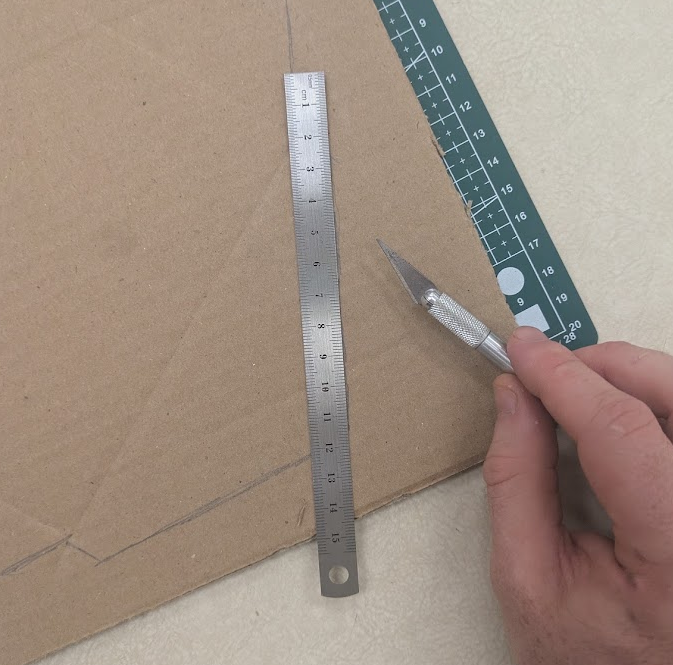
Line your steel rule up on the waste side of the pencil lines.
-
Cut the exterior perimeter using the metal hobby knife. Remember to cut several light passes. Let the blade do the work. Do NOT press hard.
5.5.1Scoring the Folds#
Cardboard does not fold cleanly unless it is scored first. Scoring is the process of making a shallow cut that breaks the top layer of tension but does not cut all the way through the material.
-
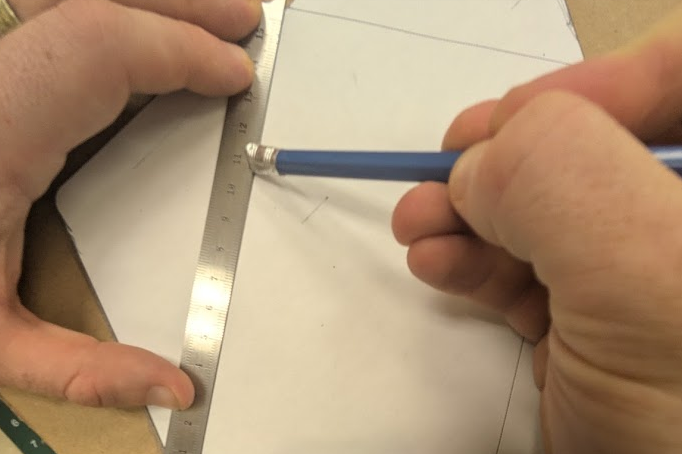
Align your steel rule against the internal fold lines you drew earlier.
-
Apply very light pressure with the metal hobby knife and pull it along the line. You only want to cut the top paper layer of the cardboard.
-
Repeat this light score for every fold line and every glue tab line. Put the cover on your metal knife when finished.
5.6Assembly#
-
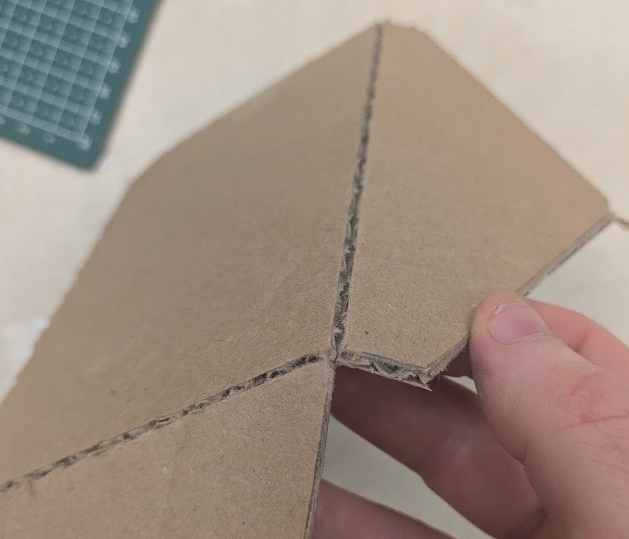
Gently bend the cardboard inward along each scored line. The cut side of the score should face the outside of the fold to allow the material to stretch open cleanly.
-
Test-fit the polygon by bringing all the sides together to ensure your tabs line up with the corresponding edges.
-
Apply a generous layer of glue from your glue stick to the top face of the first tab.
-
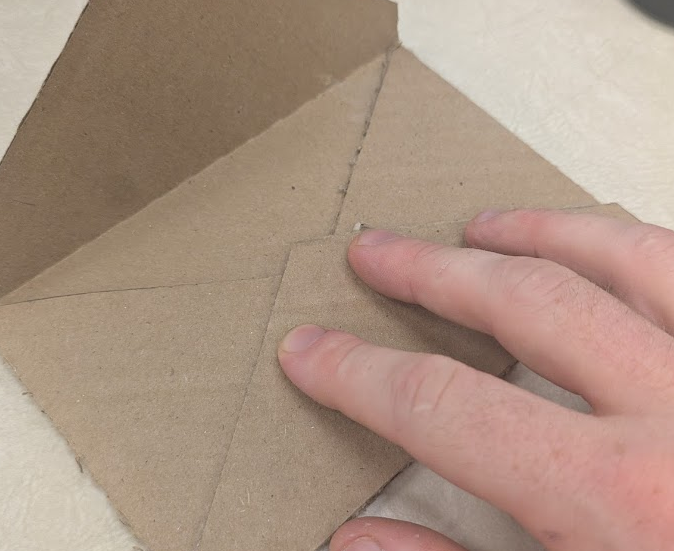
Press the tab against the inside of its mating wall. Hold the joint firmly between your thumb and index finger for 30 seconds to allow the glue to tack up.
-
Repeat this process, working your way around the polygon one tab at a time, until the entire 3D shape is closed and holds its structure.
5.7Sign-off#
- I safely used the ceramic knife for paper and the metal knife for cardboard.
- Cuts were made against a board, cutting away from my body.
- The cardboard net features cleanly scored lines that fold without crushing the cardboard.
- The final polygon is fully glued, holds its 3D shape, and has no gaps.
5.8Clean Up#
- Hobby knife blades are sheathed or retracted.
- Dull blades are disposed of in the sharps bin.
- Paper and cardboard offcuts are in the recycling.
- Cutting board and bench wiped down.