8Minecraft Logic Gates
Building NOT, OR, AND and XOR gates out of redstone in Minecraft Education, and testing each one with a truth table.
You will build each of the gates from the Inputs, Logic and Outputs lesson out of redstone, then prove each one works by testing every row of its truth table.
8.1Set up#
Use your group’s world from Getting started with redstone, or host a new world with the same settings. Build your gates far enough away from previous work so you have enough space.
You will each complete all activities on your own, but in a shared world so that you can check each other’s work.
8.2Redstone Reminders#
-
Levers: A lever is in the OFF position by default (pointing up). The ON position is
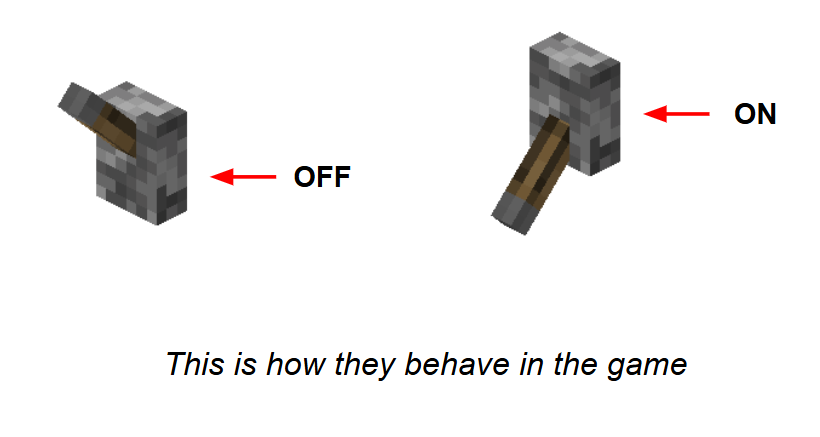
pointing down. Levers can be placed on the ground as well, but take note of which direction you are facing when they are placed.
-
Dust can’t overlap. Wires need one block of space between them to remain separate. When one wire has to cross another, run the wire up and over on top of (or under beneath) the blocks.
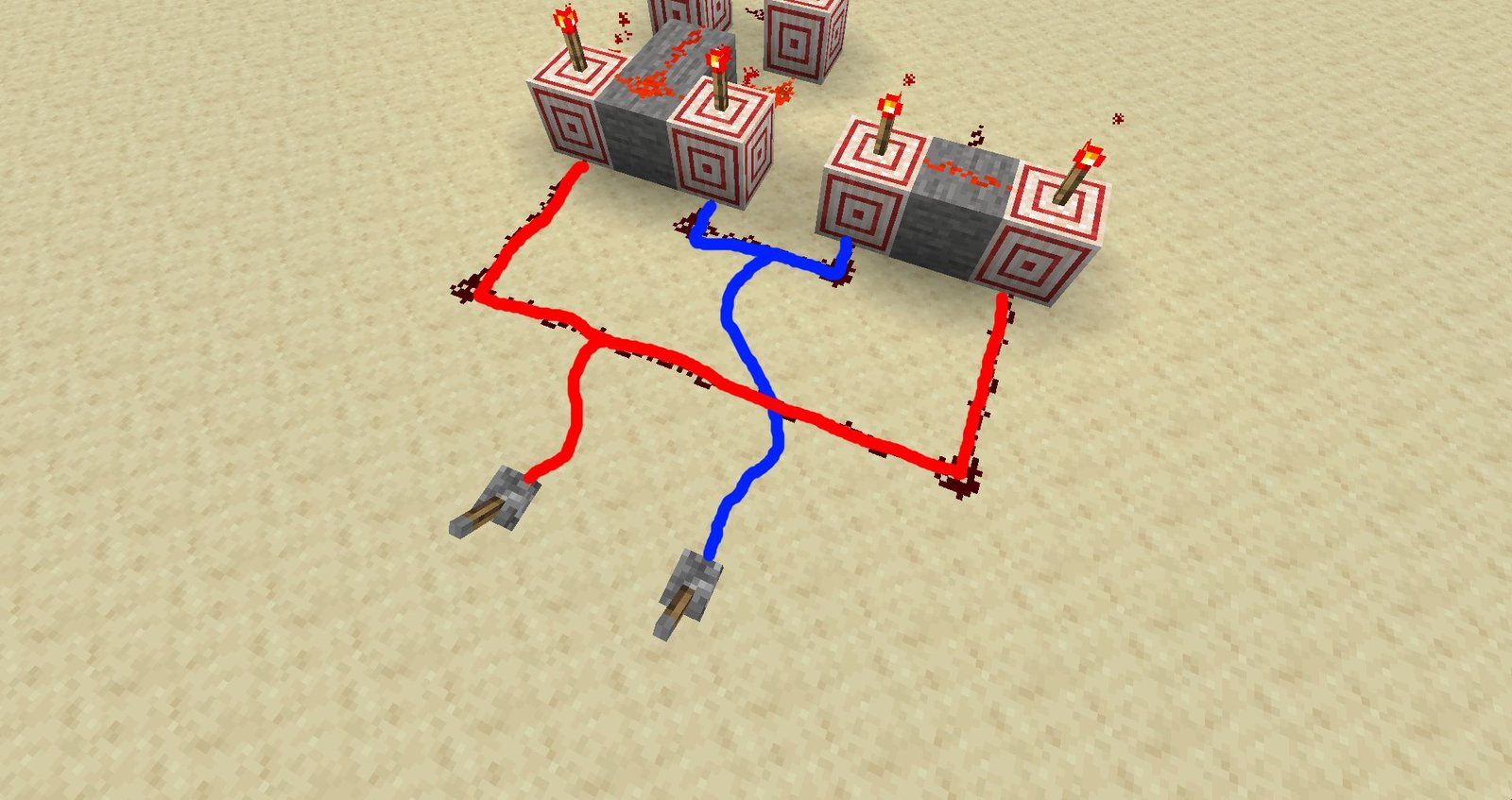
These wires touch, so they are now one wire. 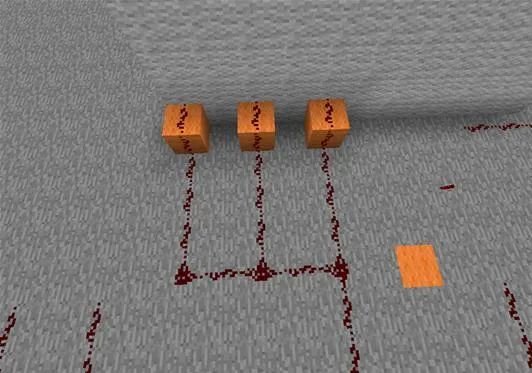
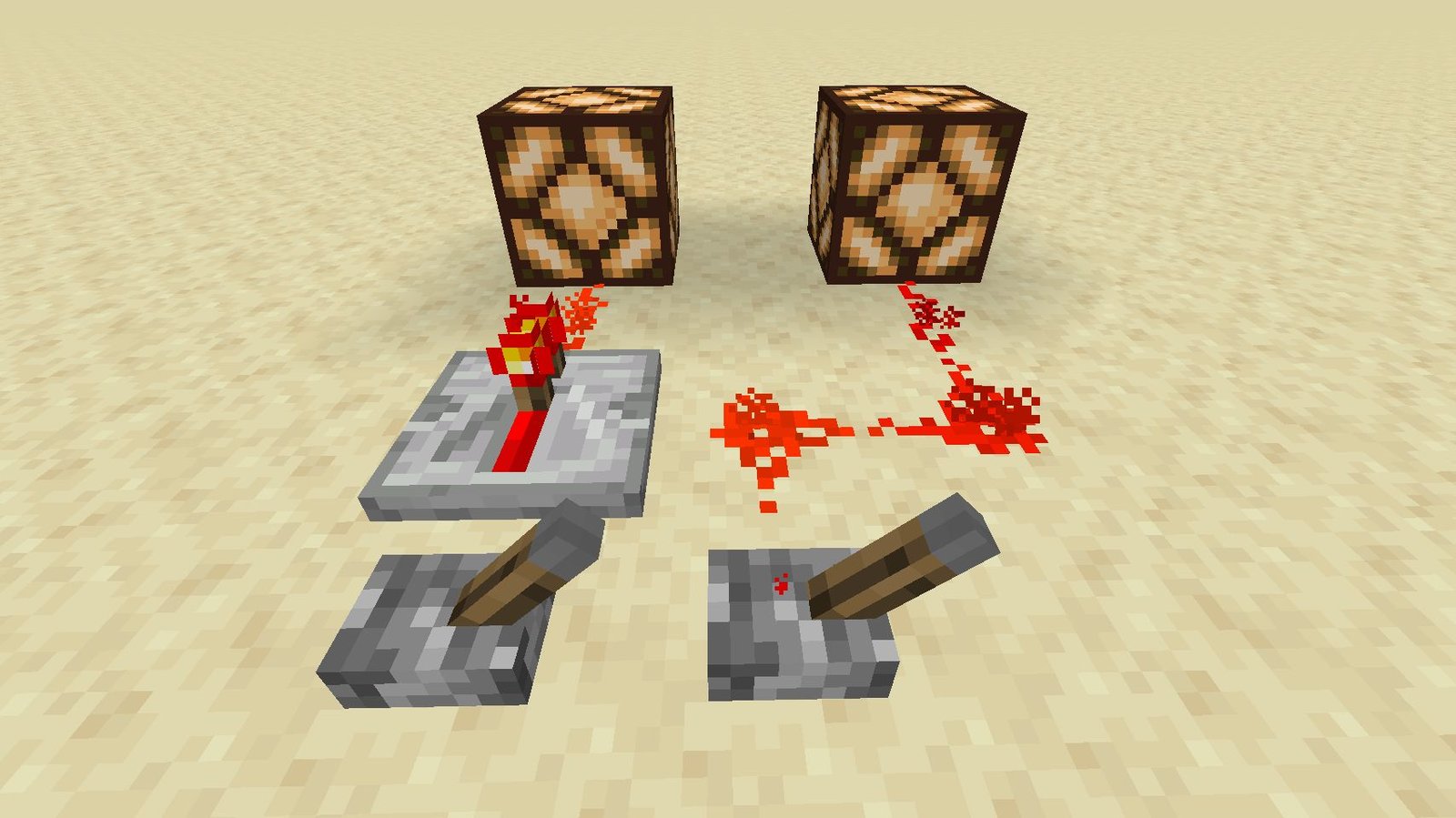
Advanced technique: use a repeater to stop wires that are too close together from connecting. -
Signal Strength: Redstone signals have a maximum length of 15 blocks. If a signal must travel through more than 15 blocks, a Redstone Repeater boosts the signal back up to full strength.
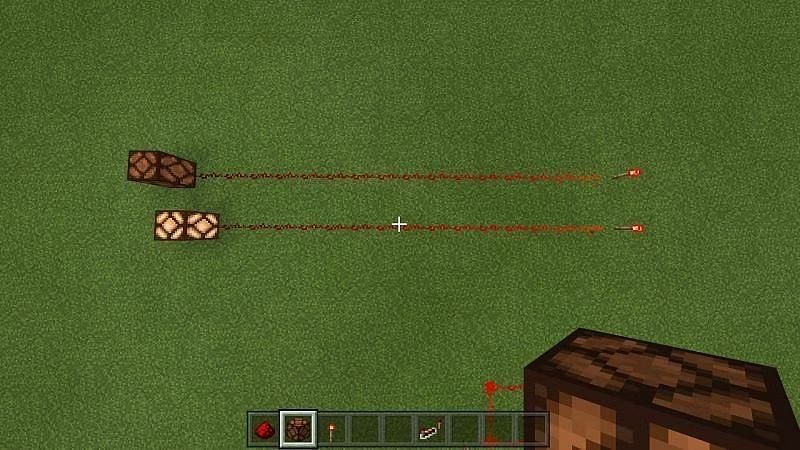
The signal is lost after 15 blocks. 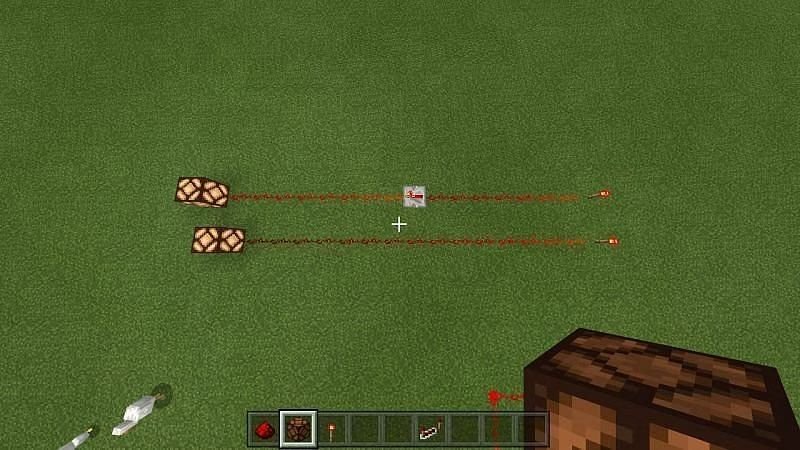
A repeater extends it.
8.3Truth Tables#
A truth table is a diagram that shows all of the possible outputs that all possible inputs can provide. We can create truth tables in Minecraft simply by using Signposts, Slates, or Boards, and then typing in a table.
8.3.11 input truth table#
Connect a lever to a lamp with some dust. Place a sign in front of this device with the following truth table completed:
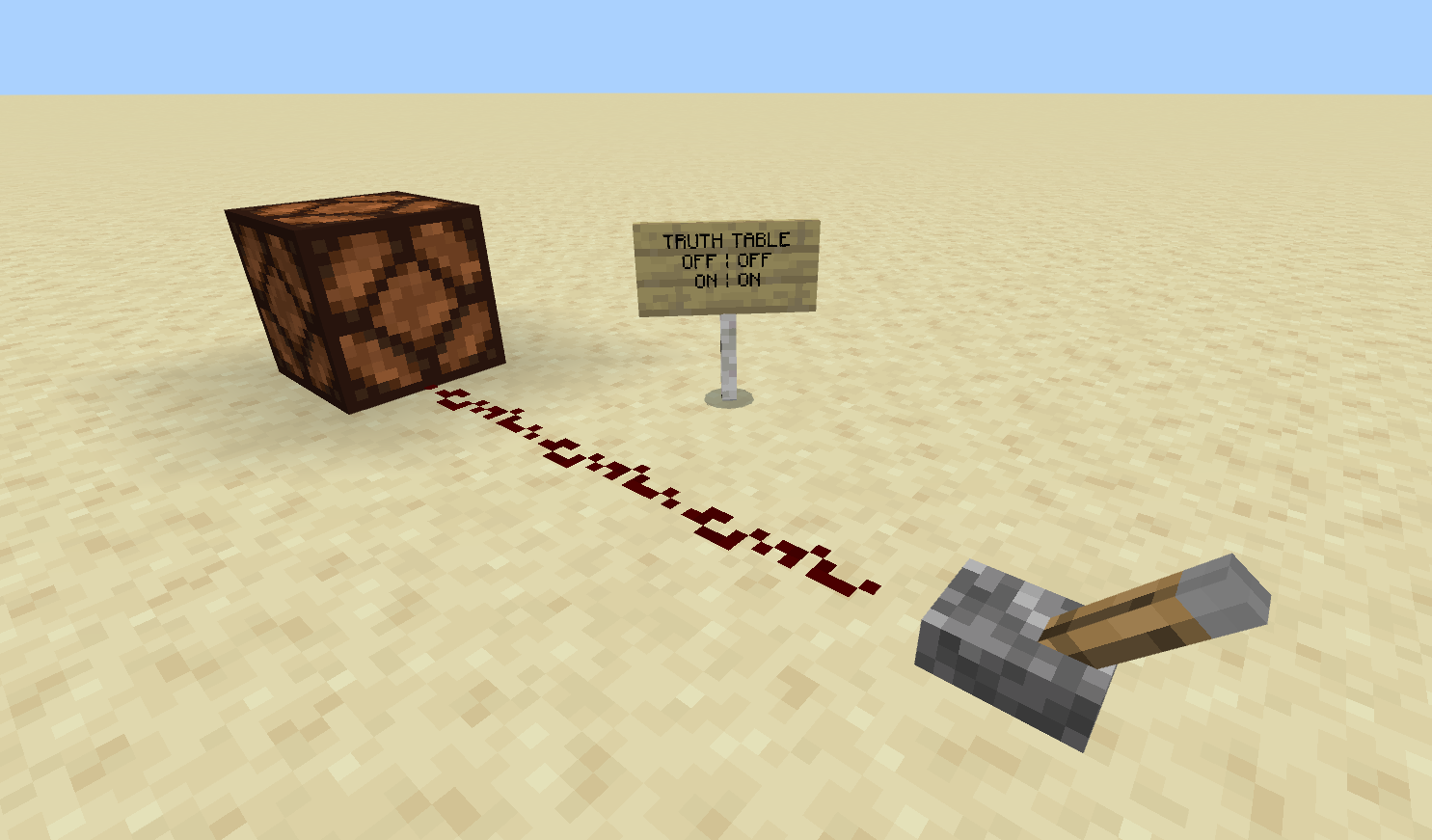
Because there are two states the lever can be in (ON, OFF) the table has 2 rows.
8.3.22 input truth table#
Add a second lever to the device, so the lamp can be turned on with either lever. Place a sign in front with the truth table completed:
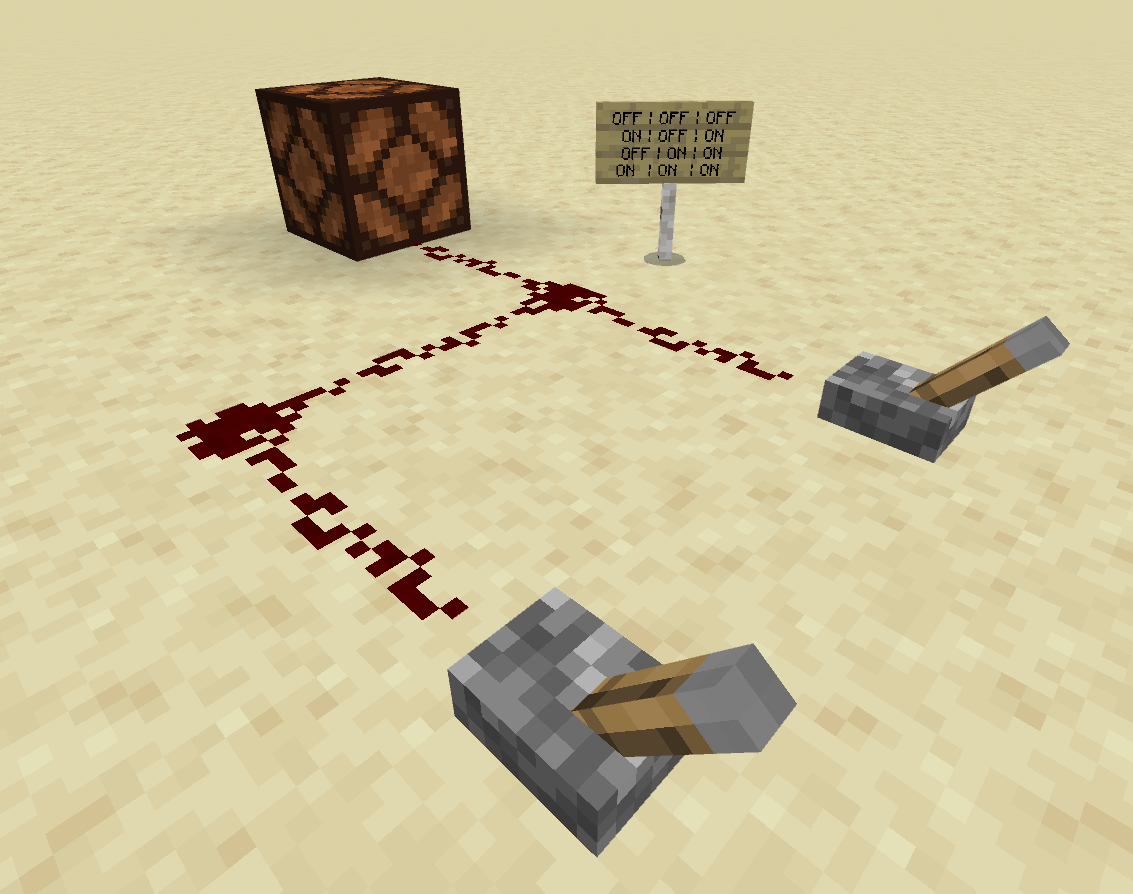
Because there are two states that EACH lever can be in (ON/ON, ON/OFF, OFF/ON, OFF/OFF) the table has 4 rows.
8.3.33 input truth table#
Add a third lever to the device, so the lamp can be turned on with 3 different levers. Place a board in front (a sign post will not be large enough) with the truth table completed:
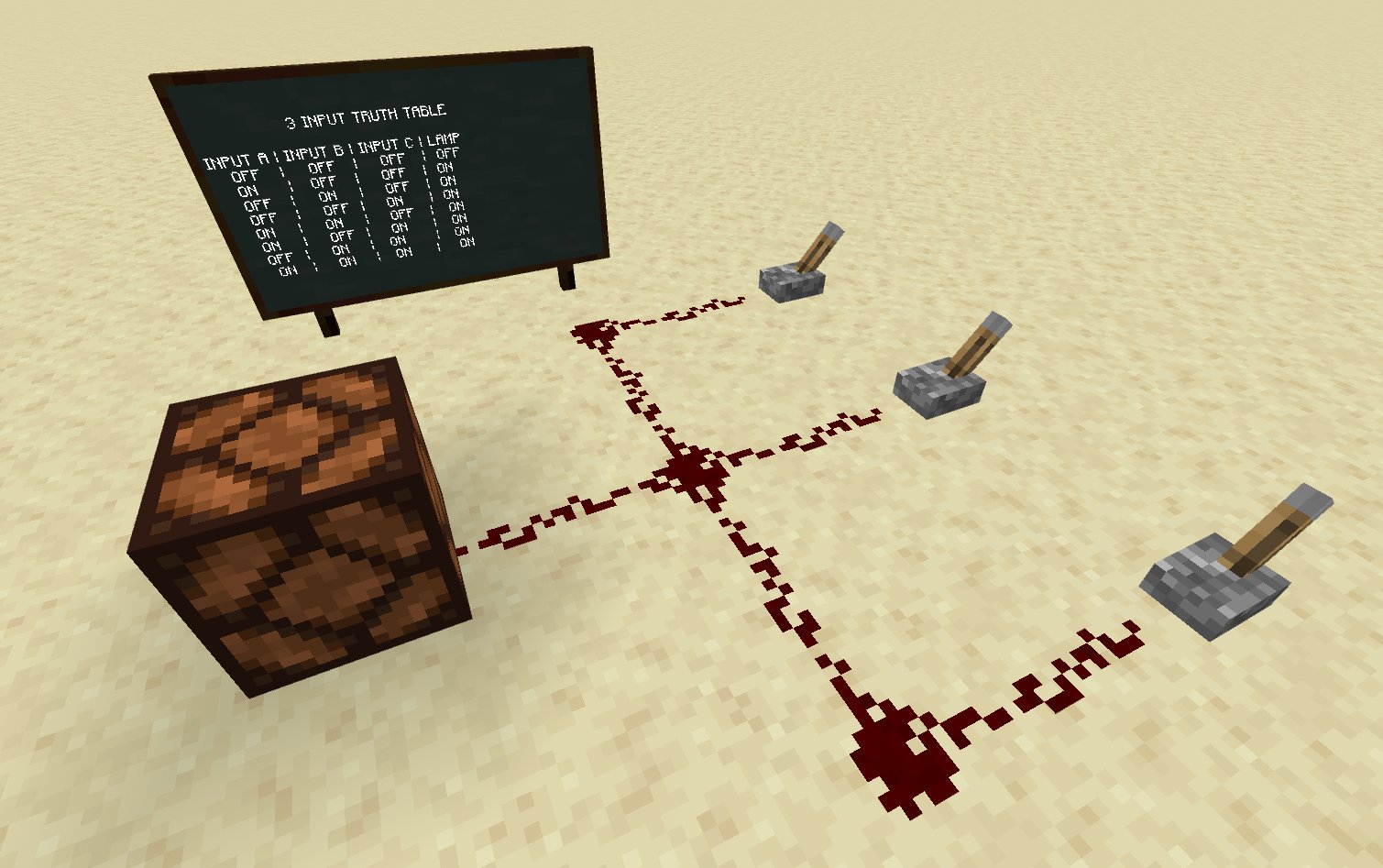
Because each lever can be turned on/off independently of each other, there are 8 rows, with each possibility.
8.3.44 input truth table#
If you were to add a fourth lever to this device, hypothesize how many rows the resulting truth table would have. Hint: there is a pattern with the previous numbers of rows, what is happening to the number each time you add another lever?
8.4Building Logic Gates#
Construct the simplest logic gates as described in the instructions below. Place a signpost next to each with a completed truth table.
8.4.1NOT Gate#
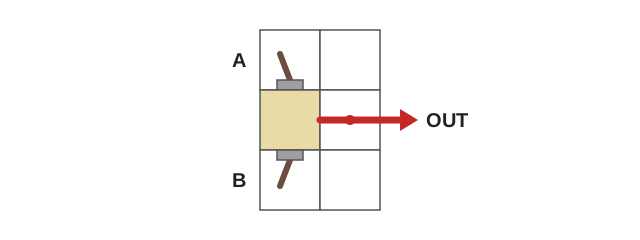
A NOT Gate flips the value of the input it receives. If you give it an ON signal, it will output OFF. If you give it OFF, it will output ON. It is built by placing a redstone torch on the side of a block, wires come out either end. The wire that is on the side of the torch is the output.

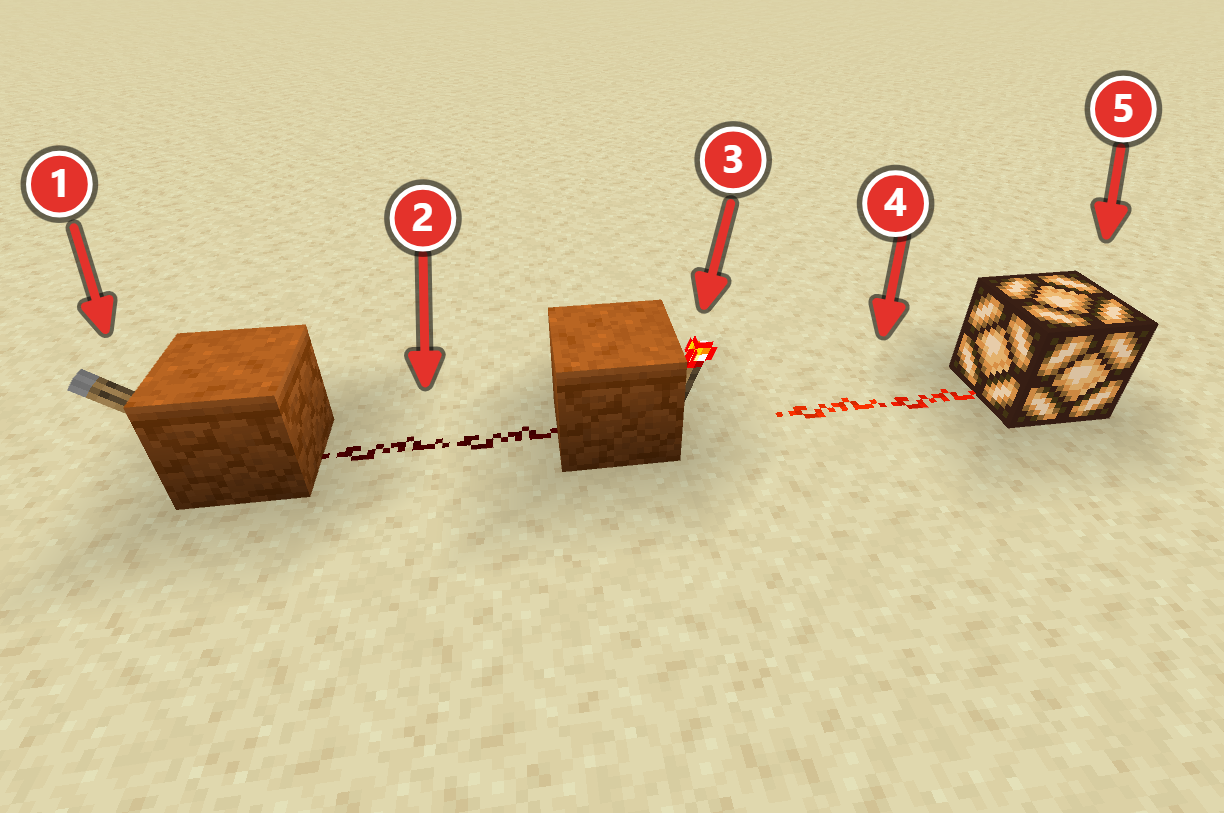
(#1) Lever does not need to be placed on a block. (2) Wire connecting the input to the gate. (#3) Redstone Torch placed on the opposite side of a block on the wall of the block, not on the floor. (#4) Wire connecting the gate to the output. (#5) The lamp output
8.4.2OR Gate#
An OR gate will output TRUE or ON if either of it’s inputs are ON. This is just a simple 2-input circuit, but it’s sometimes helpful for us to refer to this circuit as an OR gate. It is made by connecting two different inputs to the same output. An OR gate is only off if both of it’s inputs are also OFF.
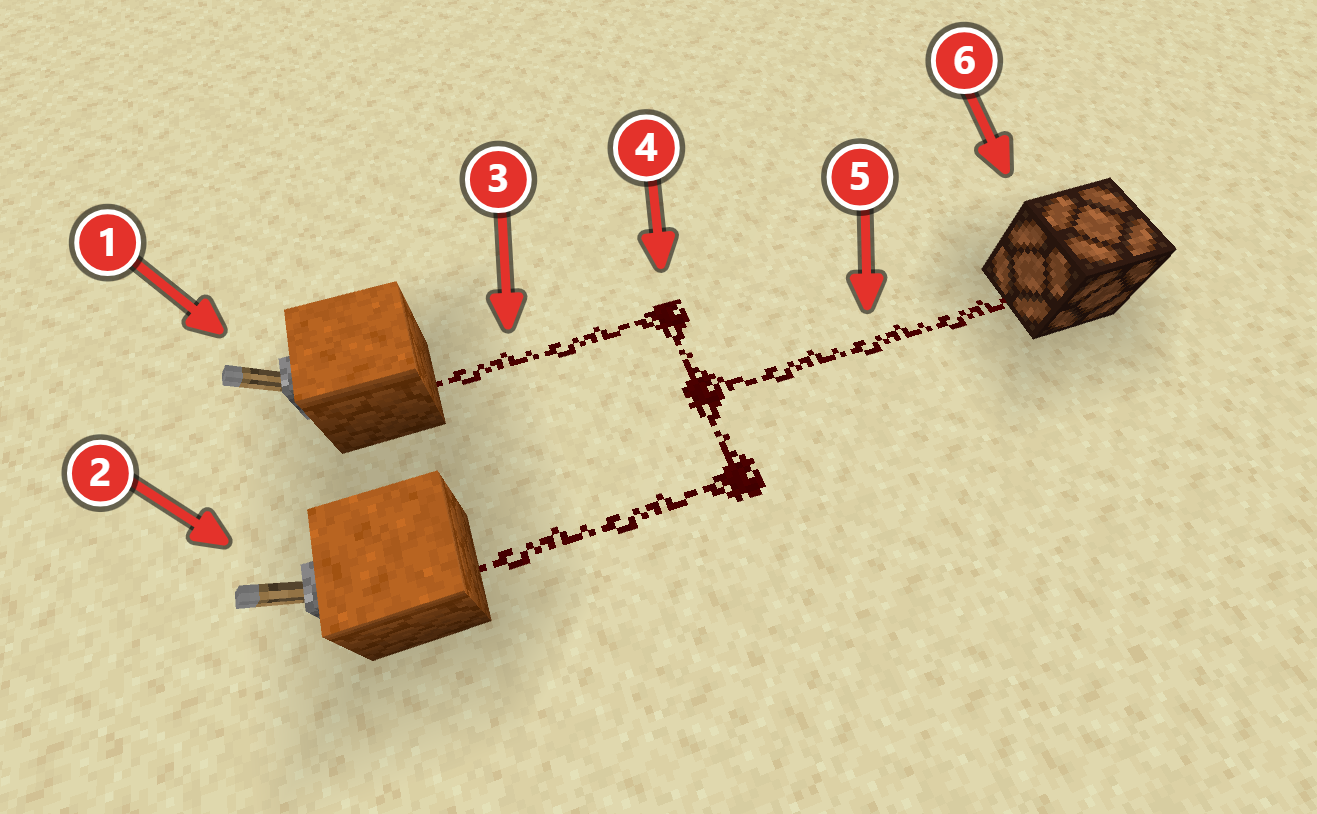
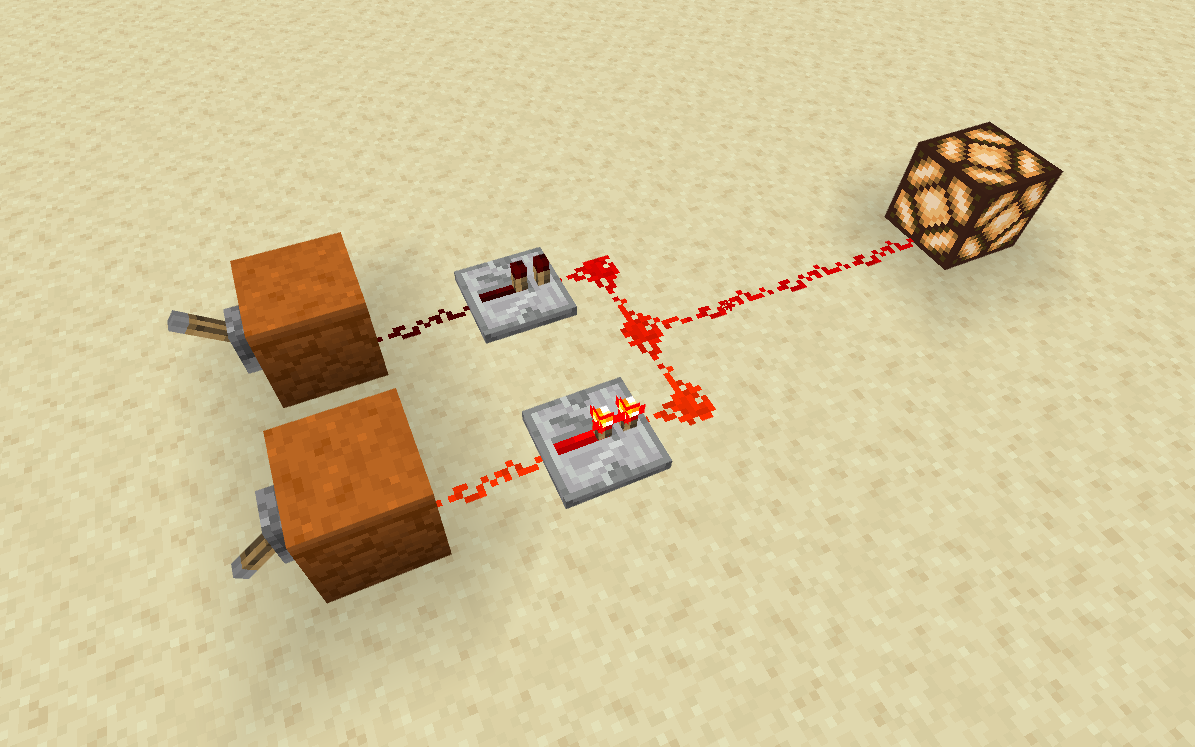
(#1) The first input lever. (#2) The second input lever. (#3) The dust connecting the input to the gate. (#4) The gate an OR gate is just when two lines meet, you can use a repeater to prevent signal backflow. (#5) The dust connecting the gate to the output. (#6) the output lamp.
8.4.3AND Gate#
An AND gate will only input TRUE or ON if BOTH of it’s inputs are ON, and will stay off if that condition is not met. It is a bit more complex to build.
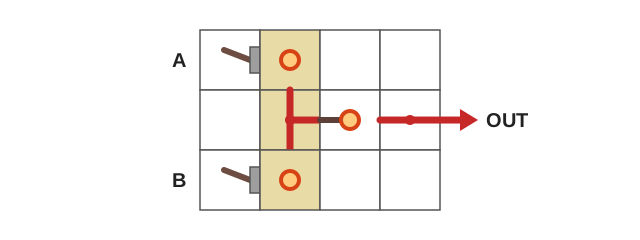
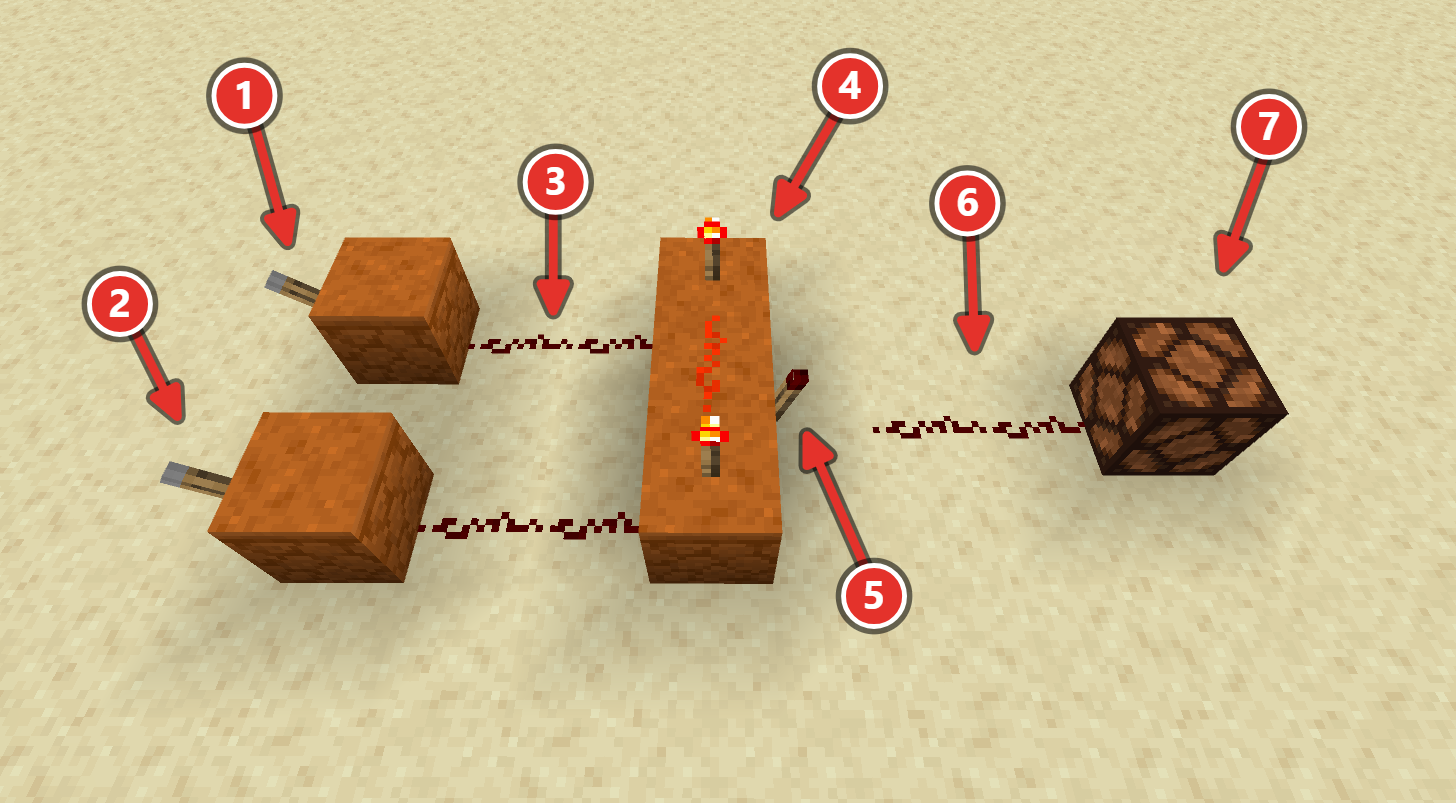
(#1) The first input lever. (#2) The second input lever. (#3) The dust connecting the inputs to the gate. (#4) The gate is made up of 3 blocks, with 2 redstone torches on top, one block of dust between them and then a (#5) torch in the middle block, on the wall facing the opposite direction (#6) the dust continues one block away from the #5 torch to the output (#7) The output lamp
8.4.4XOR Gate#
An XOR gate (pronounced “ex-or”) turns it’s output ON/TRUE if and only if one of it’s inputs is ON/TRUE, but not when both are ON/TRUE. This gate is useful when you want a single condition to be met, but not both. A good example of where this is used is when a light in a room has two light switches that control it. You want to be able to turn the light on or off in a single flick of the switch, regardless of the state of the other light switch. This one is the most complex gate to make, so pay close attention to the schematic.
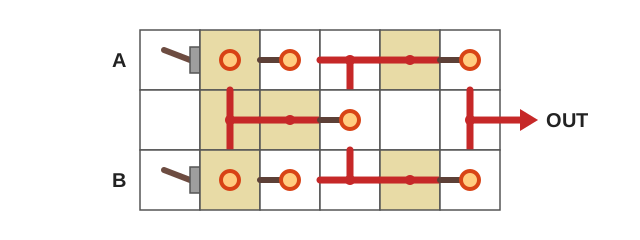
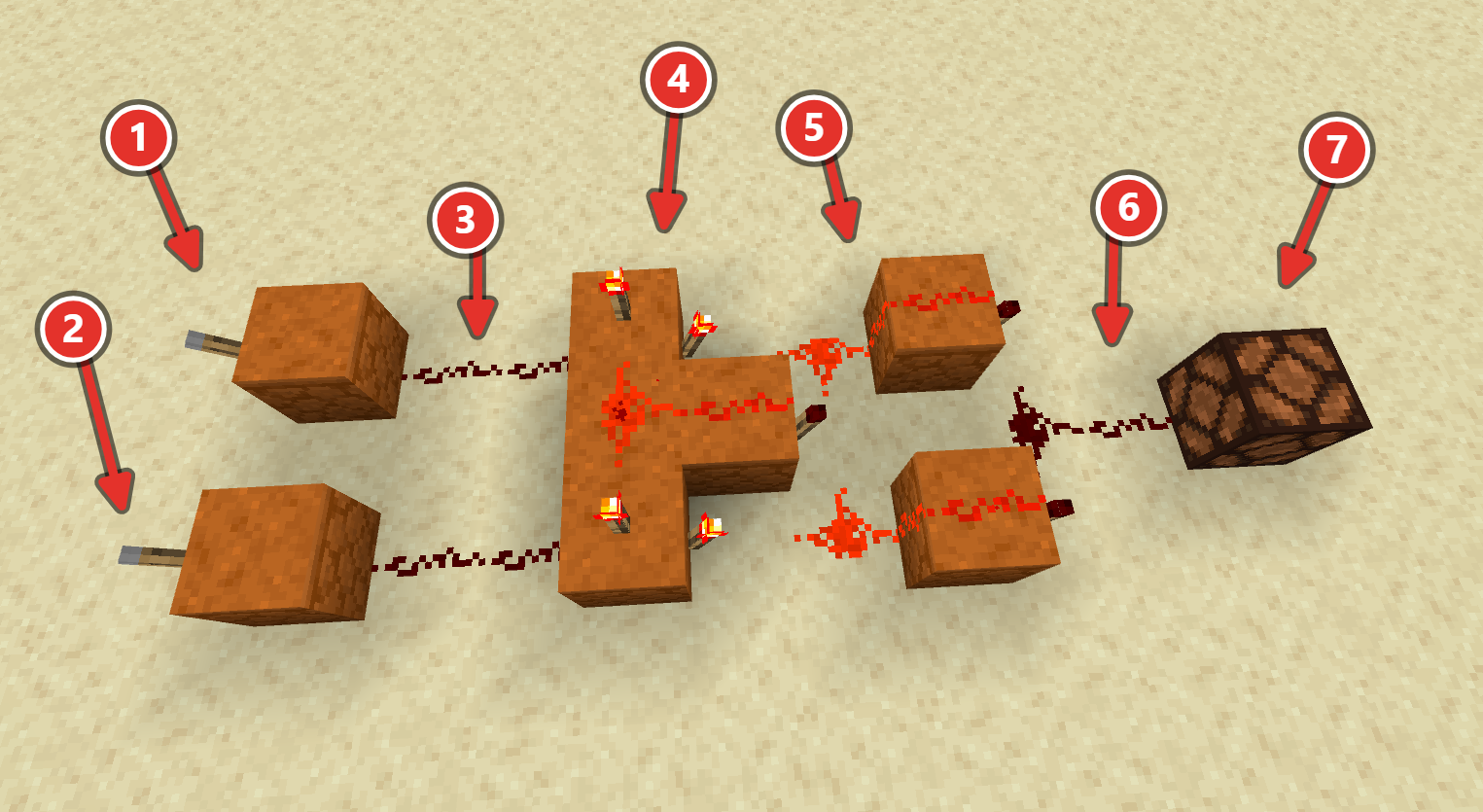
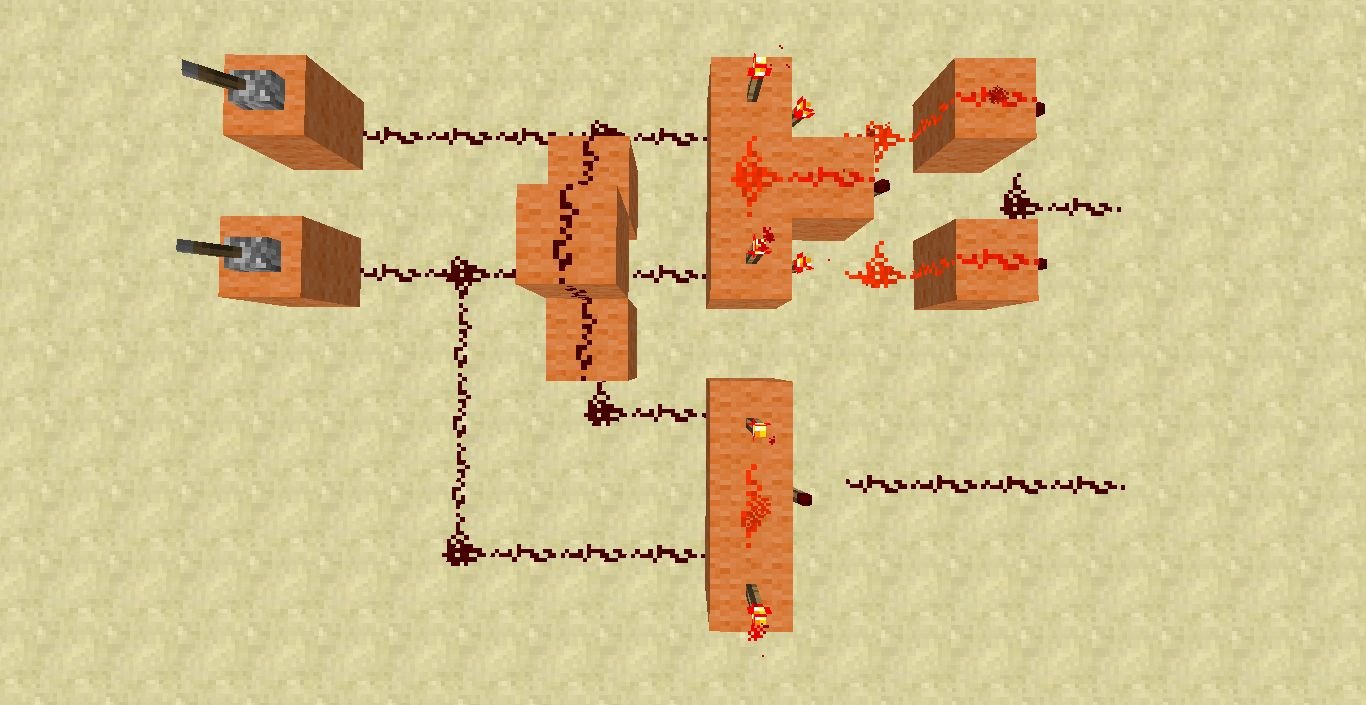
(#1) The first input lever. (#2) the second input lever. (#3) the dust connecting the inputs to the gate. (#4) the XOR gate made up of an AND gate but the final outward facing torch is extended forward one block with dust on top, and each of the other block faces have an outward facing torch, then connected to. (#5) two sets of NOT gates but with dust on top of the blocks. (#6) the signal comes together and one block of dust outward is required to reach the output. (#7) the output lamp
Watch: Understanding Minecraft Logic Gates (Skarman)
8.5Swap Out Inputs and Outputs#
Using what you learned in the previous tutorial, swap out the inputs and outputs of the gates you created above to create the following circuits:
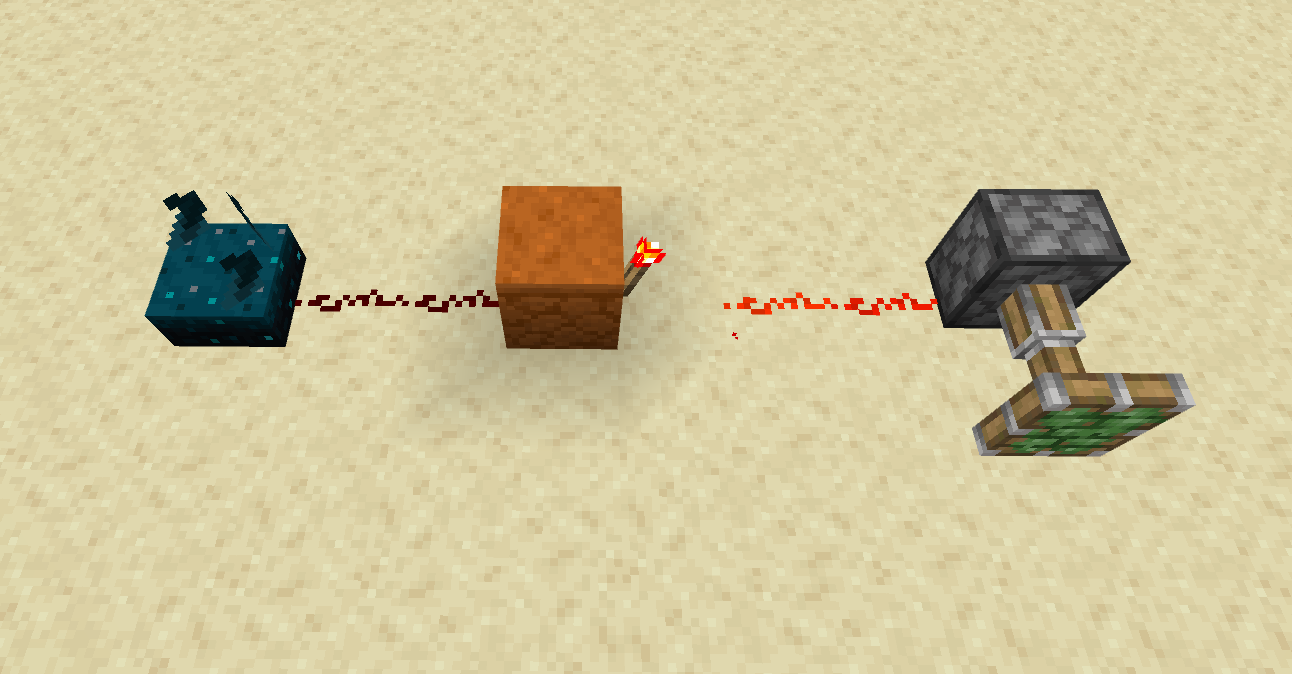
- A door that opens if a pressure plate is held down AND a button is pressed
- A trapdoor that does NOT open if a button is pressed, but stays open otherwise
- A sticky piston that can be controlled by a button OR a lever
8.6Combine gates together#
Outputs of one gate can become inputs to another gate. Connect them with dust. You should only have levers at the very beginning, and lamps at the very end. Where the first gate’s output joins the second gate, remove the lamp from the first gate and the lever from the second.
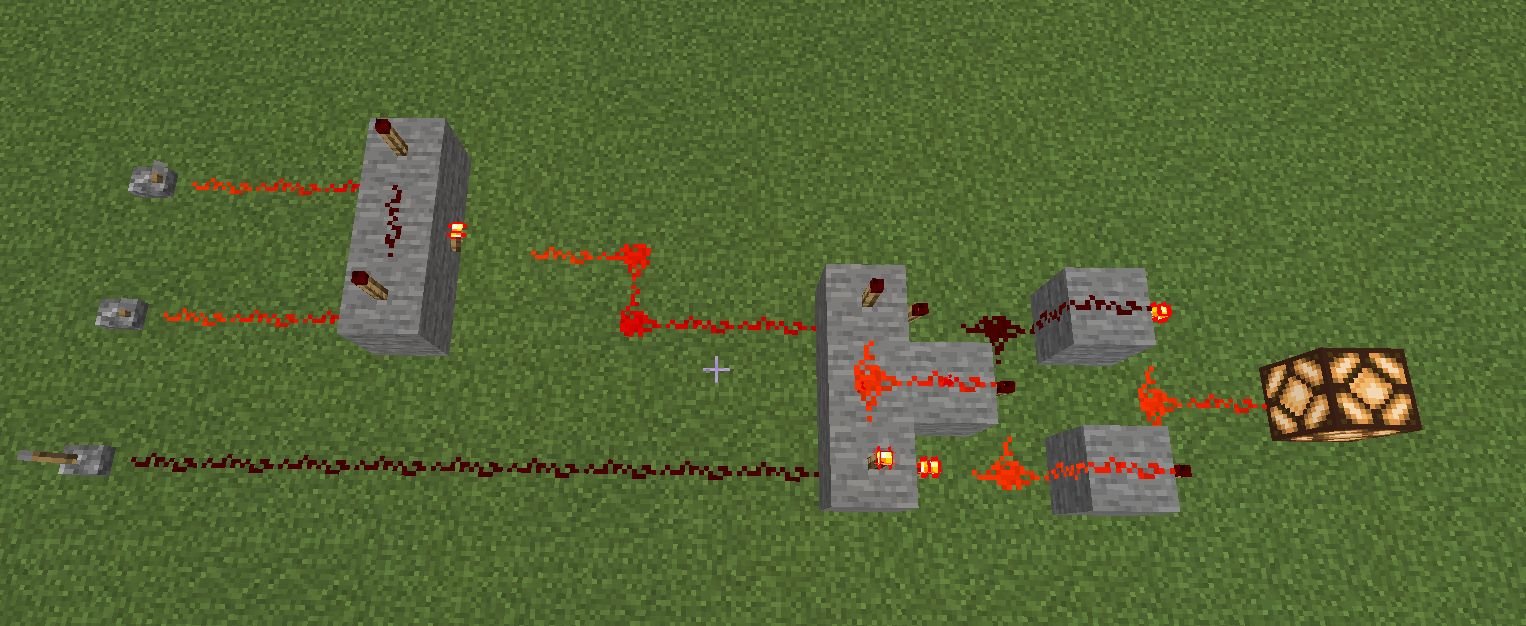
Build each of these, with a truth table sign for each:
- An OR gate that is connected to a NOT (this is called a NOR)
- An AND gate that is connected to a NOT (this is called a NAND)
- An XOR gate that is connected to a NOT (this is called a XNOR)
8.7Sign-off#
- NOT, OR, AND and XOR gates, each with lever inputs, a lamp output, and a sign showing its truth table
- A NOR, NAND and XNOR made by connecting two gates, with its truth table on a sign
- A door that opens if a pressure plate is held down AND a button is pressed
- A trapdoor that does NOT open if a button is pressed, but stays open otherwise
- A sticky piston that can be controlled by a button OR a lever
8.8Level Up#
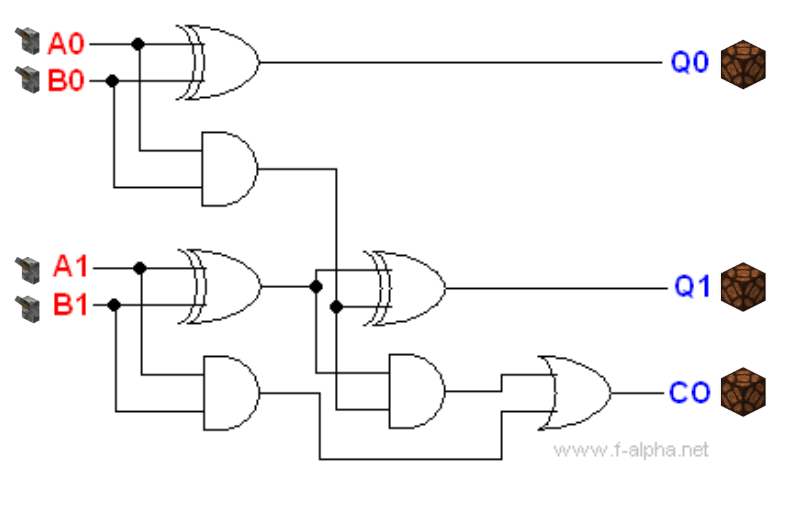
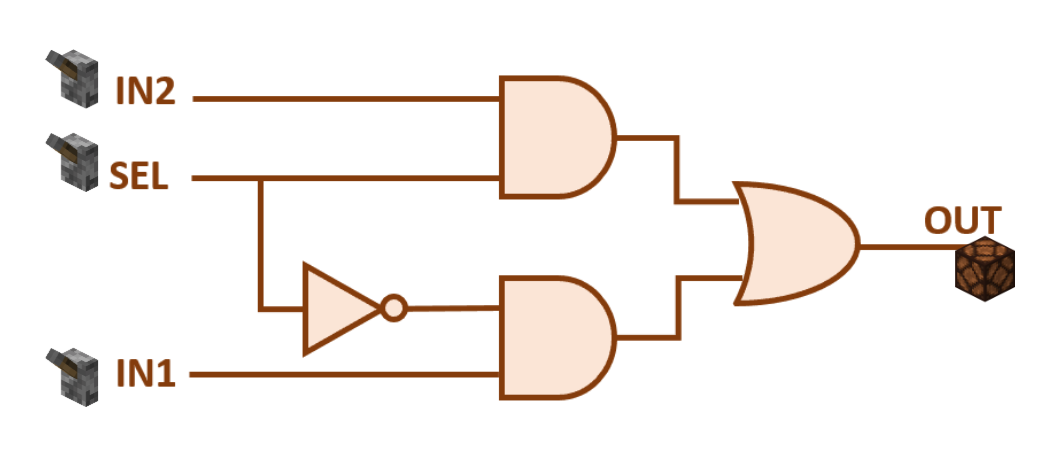
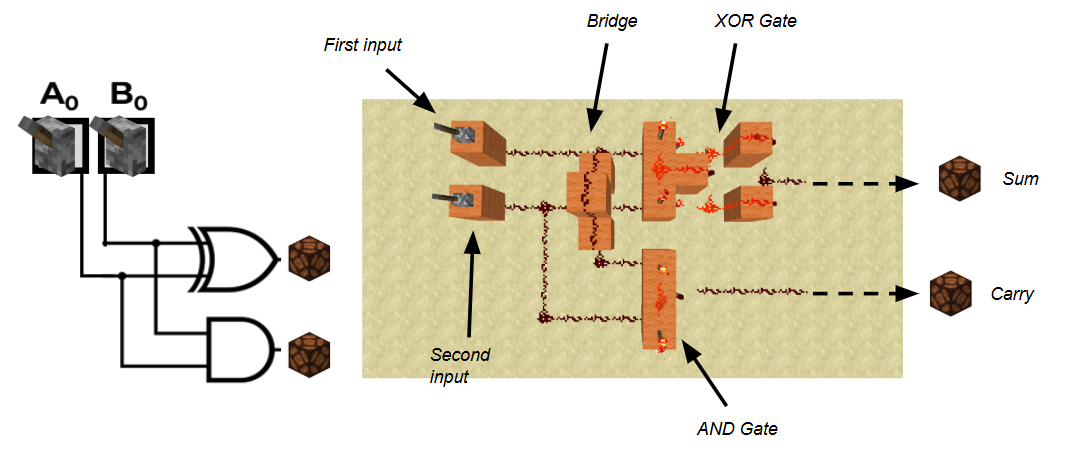
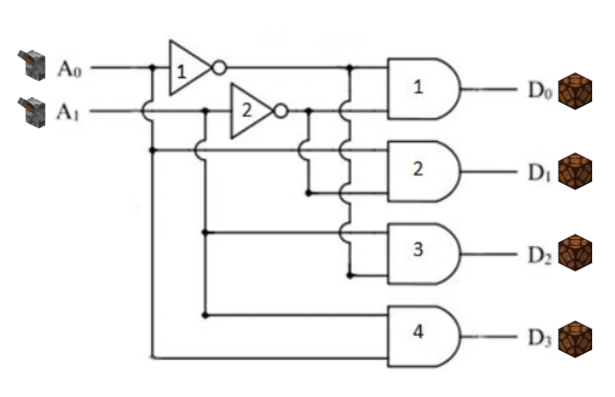
Try creating any of these circuits using the schematics provided to you.
-
2:1 Multiplexer
-
Half Adder
-
2-bit Decoder
-
Full Adder