9Minecraft Clocks and Memory
Learning how computers store memory and generate clock signals.
You will build two new kinds of circuits out of redstone: memory that remembers a signal after the input is let go, and a clock that turns a signal on and off by itself.
9.1Set up#
Use your group’s world from Getting started with redstone, or host a new world with the same settings. Fly to an empty part of the world, well away from your logic gates, so you have room to build. Each circuit in this tutorial needs a clear patch of ground about 10 blocks by 8 blocks.
You will each complete all activities on your own, but in a shared world so that you can check each other’s work.
9.2Memory circuits#
Every circuit you have built so far forgets. When you let go of the button, the lamp turns off. A computer needs to remember things, like whether a setting is on, or what number it has worked out so far, or even just the basic parameters of it’s normal functions.
There are many ways a computer can store bits of information, but we’ll be looking at just two ways here:
9.2.1RS latch#
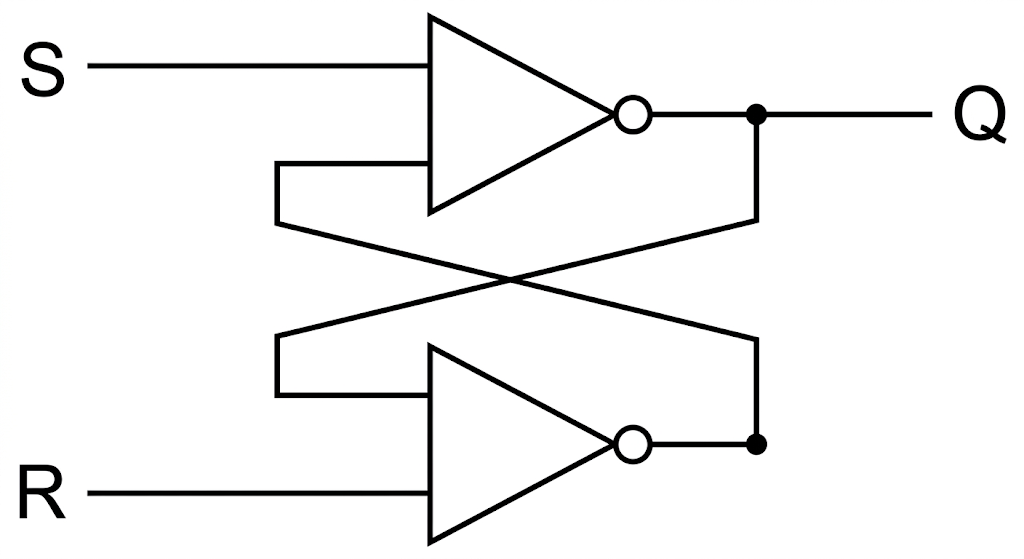
An RS latch has two buttons. Set (S) turns the output ON. Reset (R) turns the output OFF. Whichever button was pressed last decides the output, and the latch holds that output until the other button is pressed.
It is made of two NOT gates (redstone torches) wired in a loop, so that each torch controls the other.
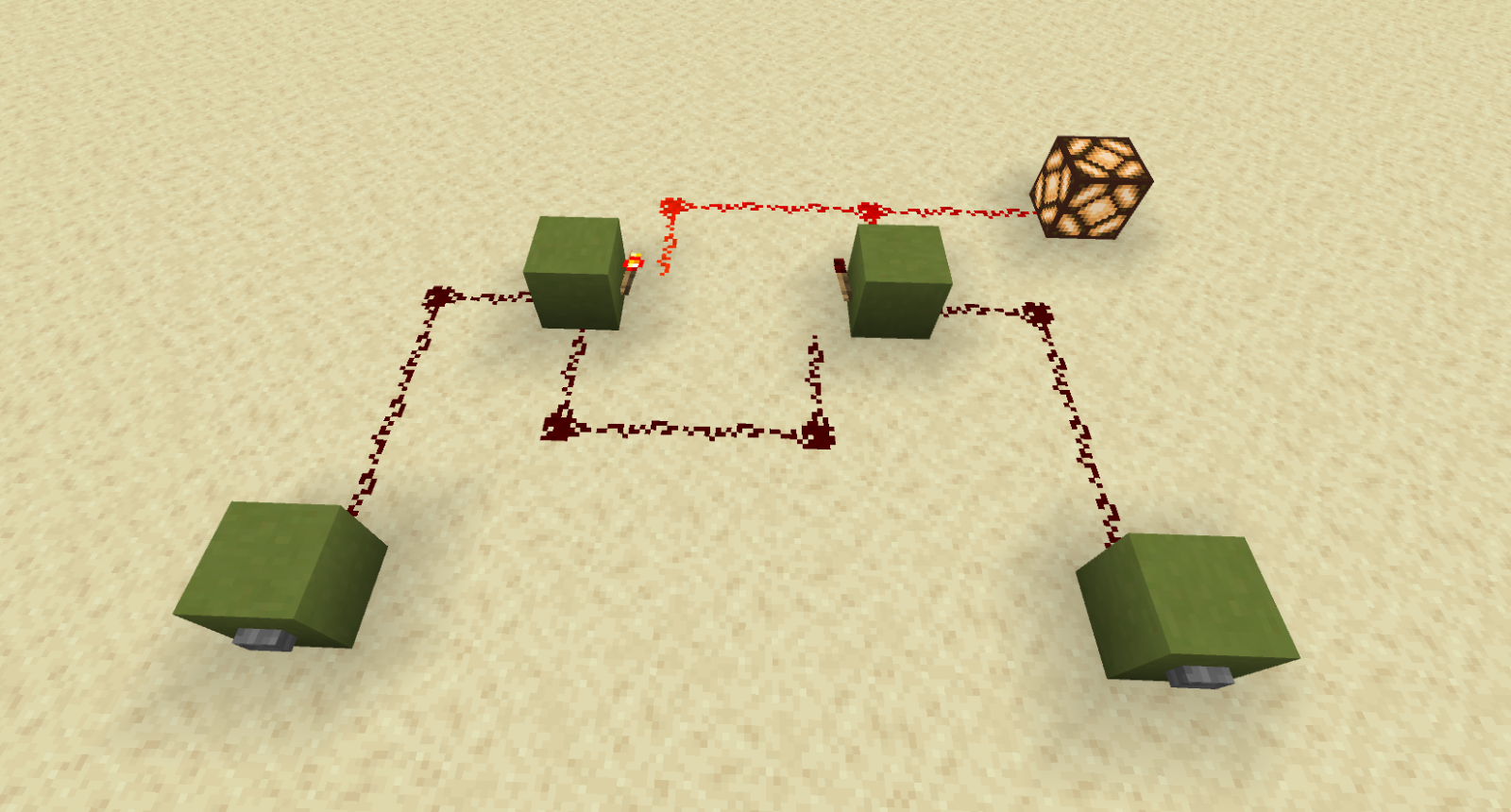
The buttons must be stuck to the sides of the blocks, not placed on the ground. A button on a block powers that block directly.
To make this circuit, you need these items in your hotbar: Sandstone (or another solid block), Redstone Torch, Redstone Dust, Stone Button and Redstone Lamp.
Place a board in front of your RS latch with this table on it:
| Set | Reset | Lamp |
|---|---|---|
| 0 | 0 | stays the same |
| 1 | 0 | ON |
| 0 | 1 | OFF |
9.2.2T flip-flop#
A T flip-flop (T stands for Toggle) has only one button. The first press turns the output ON. The next press turns it OFF. Each press flips the output to the opposite of what it was, and it stays there until the next press.
This turns a short pulse (a button) into a permanent switch (like a lever). It is the same idea as a click pen, or the power button on a laptop.
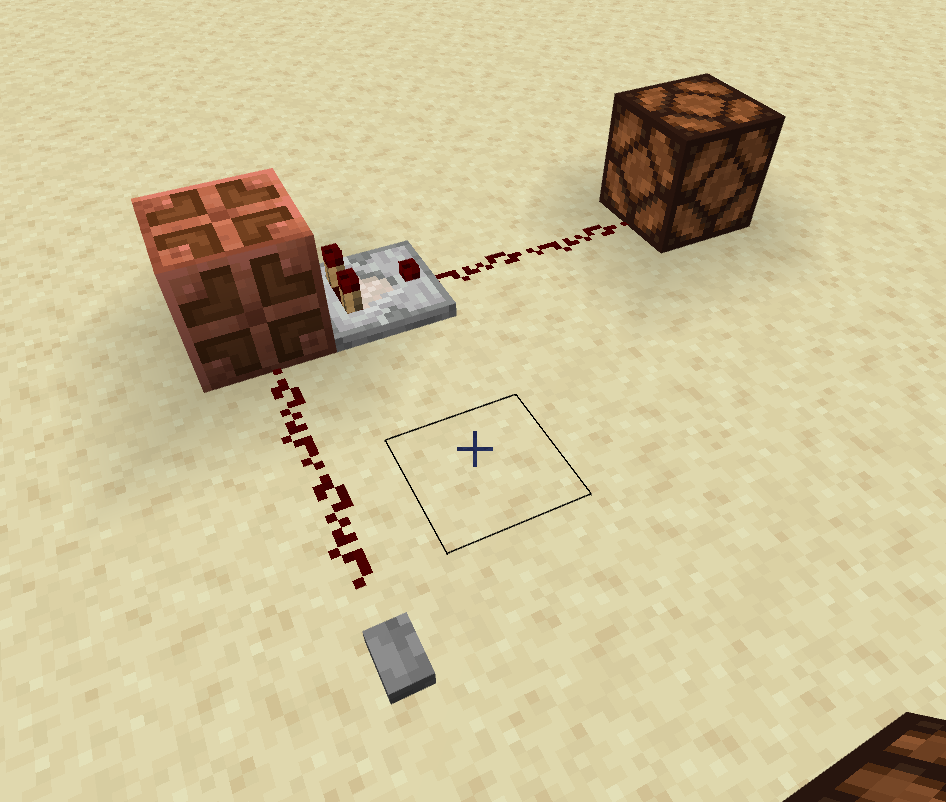
There’s a very simple way to make this device in Minecraft, utilizing a special block called the Copper Bulb and a Comparator.
Place a sign in front of your T flip-flop, and test it. Press the button several times and watch the lamp. Record what happens in a truth table.
| Lamp before you press | Lamp after you press |
|---|---|
| OFF | ON |
| ON | OFF |
9.3Clock signals and timers#
A clock sends out a signal that turns ON, then OFF, then ON, then OFF, over and over, by itself. Computers use a clock to keep every part working in step, like a drummer keeping time for a band. Redstone clocks are used to flash lights, play beats, and run machines on a timer.
9.3.1Repeater loop clock#
This clock is a NOT gate (a redstone torch) whose output loops around through two repeaters and back into its own block. Every time the signal makes it around the loop, the torch flips, so the signal keeps flipping forever.
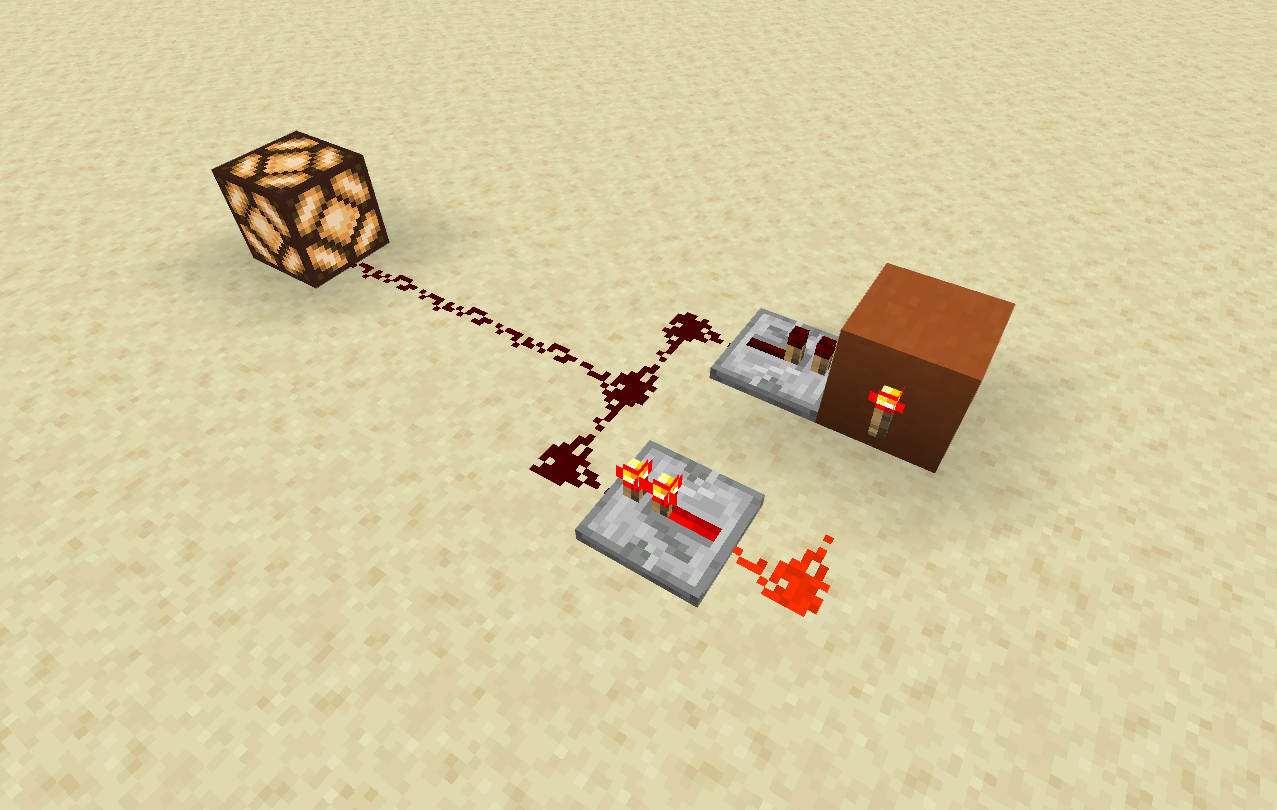
Add an ON/OFF switch to the block.
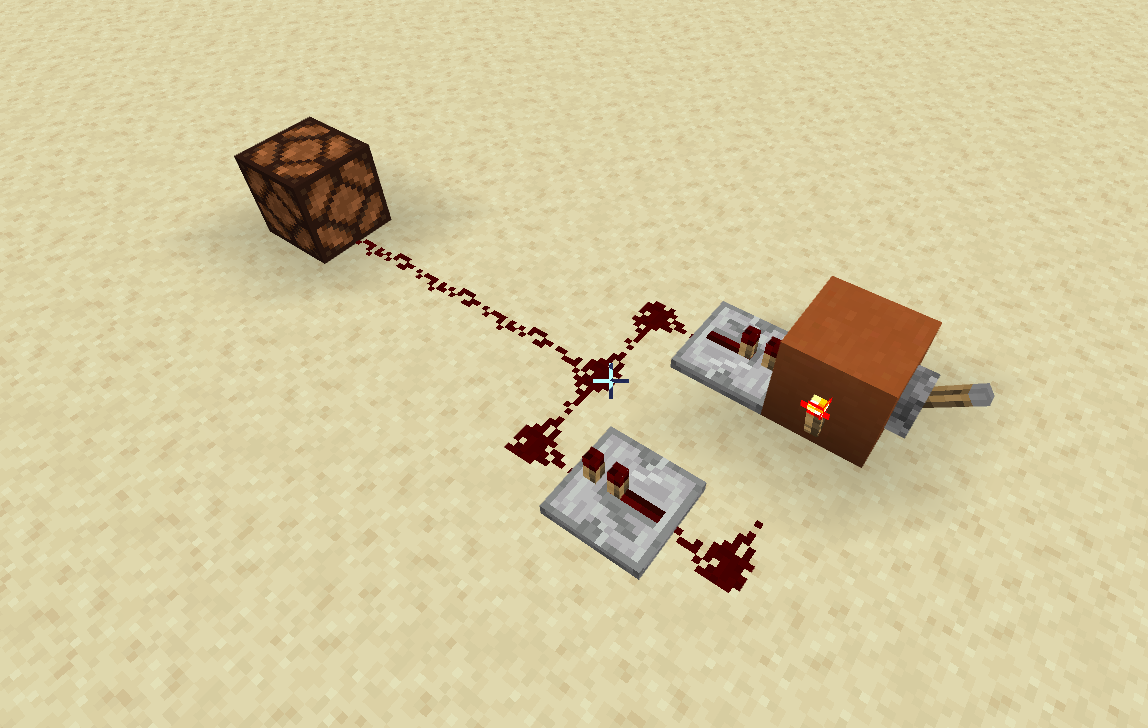
Put these in your hotbar: Sandstone, Redstone Torch, Redstone Dust, Redstone Repeater, Redstone Lamp and Lever.
9.3.2Change the speed#
Each repeater adds a delay. Right click a repeater to change its delay. The small sliding torch on top of the repeater moves back each time you click. There are 4 settings. Each setting adds 1 tick, and 1 redstone tick is 0.1 seconds.
| Repeater 1 | Repeater 2 | One full ON-OFF cycle |
|---|---|---|
| 1 tick | 1 tick | about 0.6 seconds |
| 1 tick | 2 ticks | about 0.8 seconds |
| 2 ticks | 2 ticks | about 1.0 second |
| 2 ticks | 3 ticks | about 1.2 seconds |
| 3 ticks | 3 ticks | about 1.4 seconds |
| 3 ticks | 4 ticks | about 1.6 seconds |
| 4 ticks | 4 ticks | about 1.8 seconds |
You can extend the length of the delay by expanding the circuit to include more repeaters. If each added tick is about 0.2 seconds, use the same table above to extrapolate the amount of time it would take.
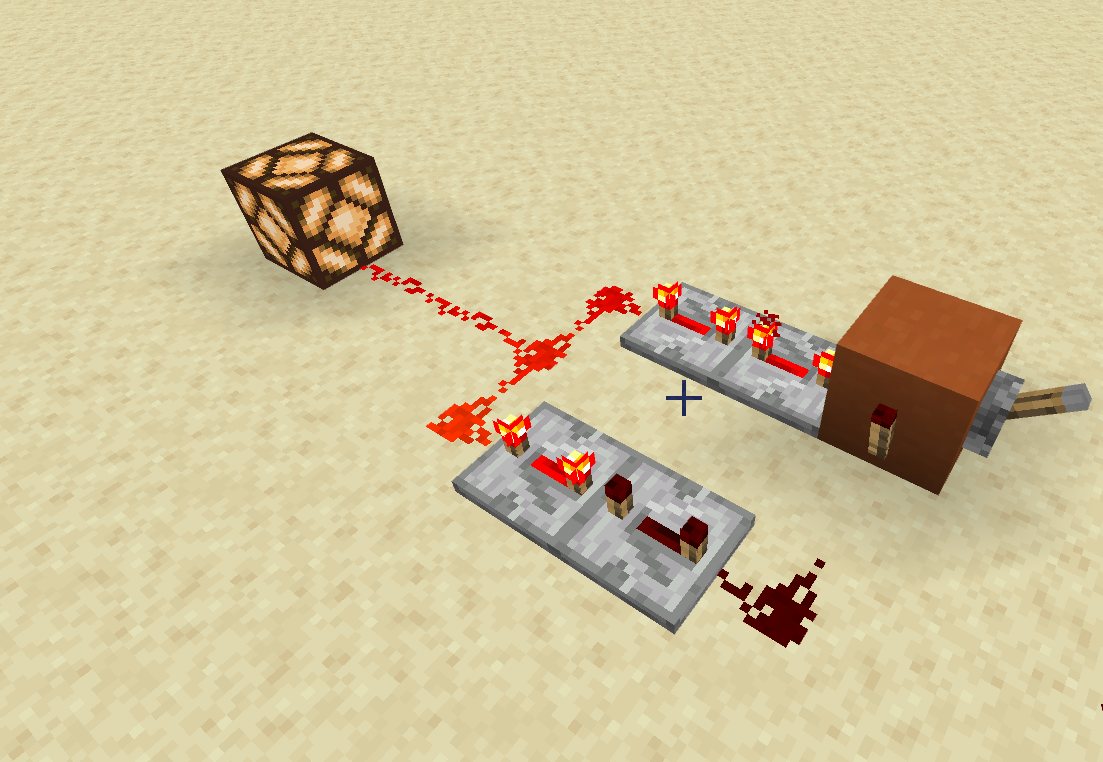
The number of ON-OFF cycles in one second is the clock’s frequency. A slower clock has a lower frequency.
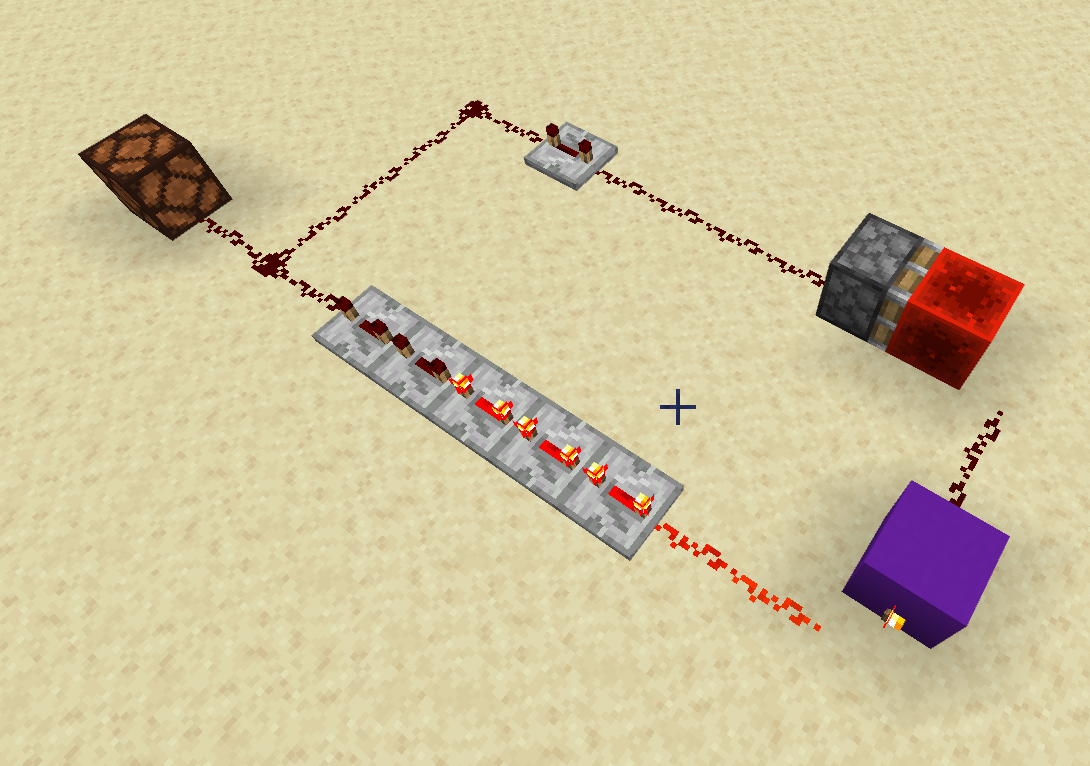
Burnt out torches
If you set the clock very fast, the torch may go dark and the clock stops. The torch has burnt out from flipping too quickly. Slow the repeaters down, then break the torch and place it again.
9.3.3Creating a timer#
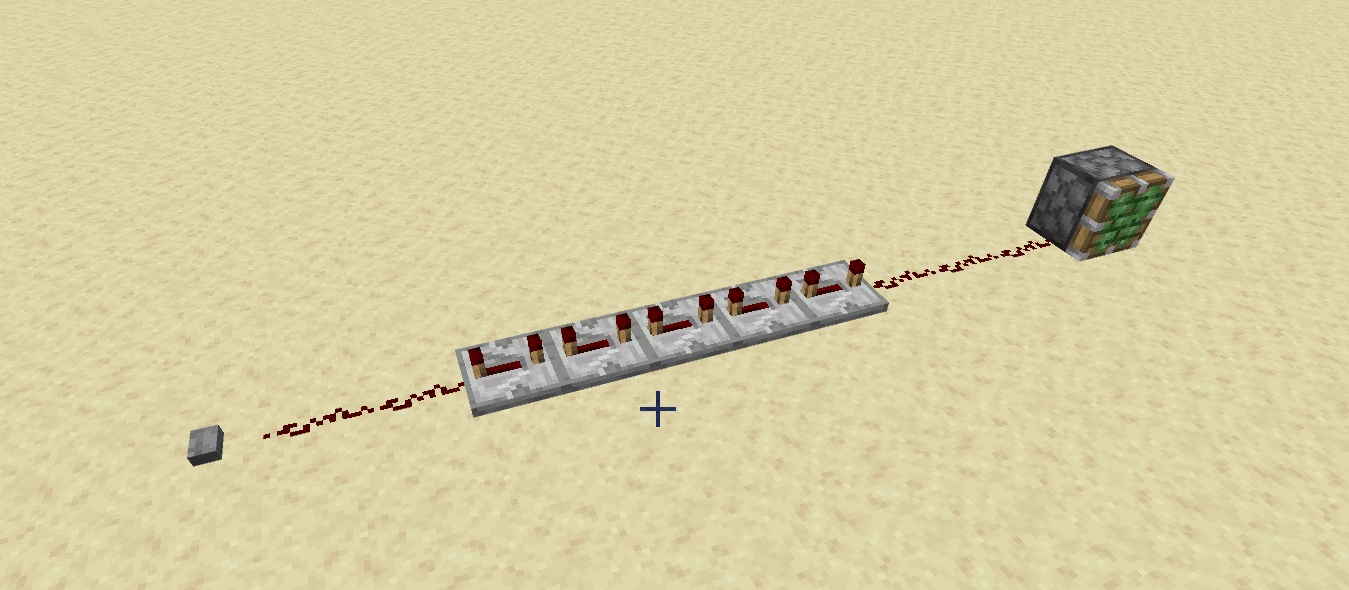
A clock repeats forever until you switch it off. A timer waits a set amount of time and then does something once. A single repeater is already a tiny timer: it waits 0.1 to 0.4 seconds, then passes the signal on. A line of repeaters is a longer timer. Clocks and timers are both built out of delays.
9.4Swap inputs and outputs#
Using the circuits described above, build at least two of these. Place a sign in front of each one that says input → circuit → output, for example “Target Block → RS Latch → Iron Door”.
-
Target practice: Hit a Target Block with a snowball to open an Iron Door, and have it stay open until you press a button. (Target Block → RS latch → Iron Door)
-
Sneak test: A Sculk Sensor that toggles a wall of Sticky Pistons every time it hears you. Try to get past it without changing the wall. (Sculk Sensor → T flip-flop → Sticky Pistons)
-
Secret library door: Turning a page of a book on a Lectern opens a hidden door. Turning another page closes it. (Lectern → T flip-flop → Sticky Pistons or Iron Door)
-
Night alarm: A Note Block that beeps over and over, but only at night. Use a Daylight Detector as the brake, the same way the first lever worked in Add an ON/OFF switch. You can cover the detector with a block to test it if you don’t want to wait for night. (Daylight Detector → Clock → Note Block)
-
Snowball turret: A Dispenser full of snowballs that fires on its own while a lever is ON. Change the repeaters to change how fast it fires. (Lever → Clock → Dispenser)
9.5Sign-off#
Call your teacher over when you are ready to show it off. For each circuit, you should be able to point to the input, the memory or clock part, and the output, and explain how it works.
- RS Latch circuit that holds state until reset
- T-Flip-Flop circuit that toggles state on button press
- Repeater loop clock with an ON/OFF disable switch and adjustable speed
- Two custom circuits combining an input (e.g., Target block or Sculk sensor) with a clock or memory output
9.6Level Up#
- Send your clock’s output into the button input of your T flip-flop. The lamp on the T flip-flop flashes at half the speed of the clock. Add a second T flip-flop after the first to halve it again.
- Build a vault door that only opens when a hopper has at least 4 stacks of items in it.
- Use a comparator to read a Lectern, and light up a different lamp for each page of the book.
- Put a Daylight Detector behind a comparator in compare mode, and a lever with some dust into the comparator’s side. Find out when the comparator’s output turns ON.
- Build a structure to hide your circuits.